



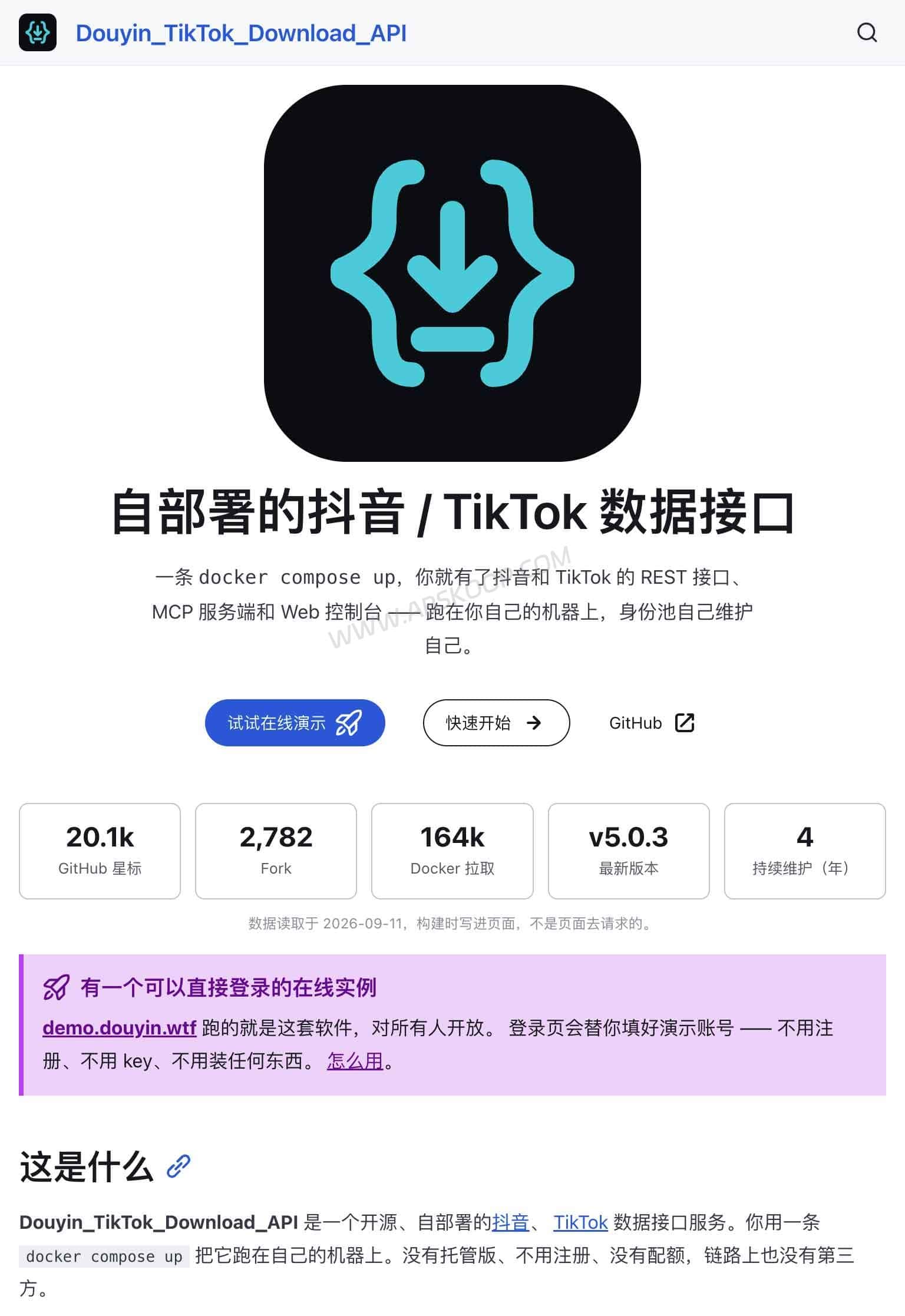
Douyin TikTok Download API is an open-source, self-hosted data API built by Evil0ctal for Douyin and TikTok. Many people first came across the project as a way to parse shared video links and retrieve clean media streams. With v5, it has grown into something much broader than a video parser.
The current version works more like a full data service for Douyin and TikTok. It can fetch posts, creator profiles, comments, search results, collections, and other public data through REST APIs, while also exposing MCP and CLI access. Parsed data can be stored in your own PostgreSQL database, and operational tasks such as identity management, scheduling, downloads, logs, and diagnostics are handled through a Web Console.
As of September 2026, the latest stable release is v5.1.0, published on September 15. This release added collection support for both Douyin and TikTok, TikTok reposts, and parsing for TikTok Collection links.
Douyin TikTok Download API is a third-party open-source project. It is not an official Douyin or TikTok API, and it is unrelated to the official TikTok for Business MCP Server. The project works with web-facing platform interfaces, so running it on your own server does not remove account restrictions, IP limits, anti-abuse controls, or platform terms.
What Can Douyin TikTok Download API Do?
v5 exposes three main ways to work with the service: REST API, MCP, and CLI. All three use the same underlying service layer.
The REST API is useful for scripts, backend applications, and automation. MCP is aimed at clients such as Claude Code, Claude Desktop, Codex CLI, and other tools that support the Model Context Protocol. The CLI gives you direct terminal access through the dtk command.
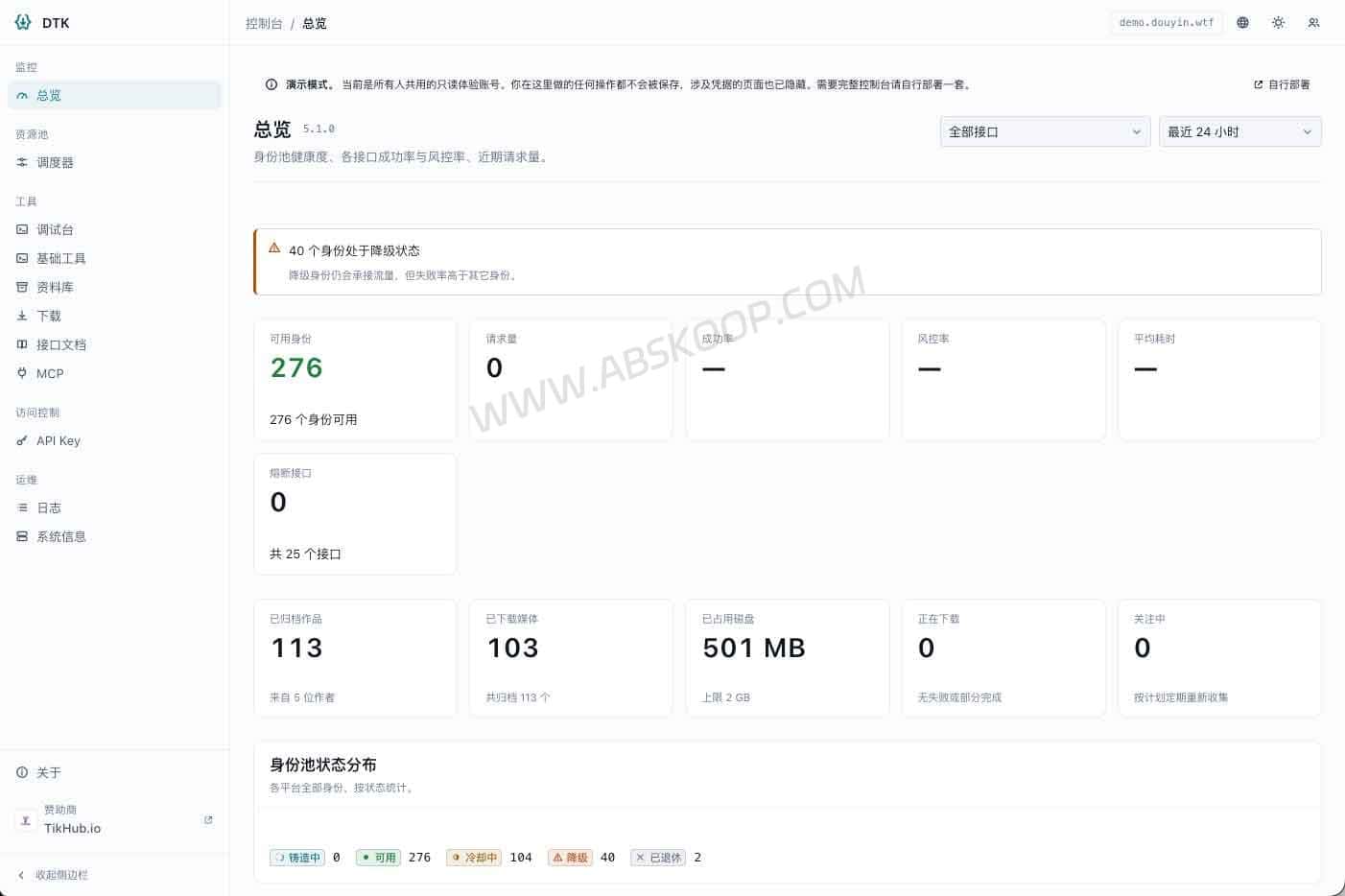
The Web Console sits on top of the service as an administration interface. It shows the identity pool, scheduler, archive, downloads, request logs, diagnostics, and API keys.

How Does Douyin TikTok Download API Work?
You can think of the project as a layer between Douyin or TikTok web data and your own application.
A regular application can request JSON through the REST API. An MCP-compatible agent can use the tools exposed by the MCP server. The same service can also be accessed from a terminal using dtk.
REST, MCP, and CLI are not separate implementations. They share the same service layer, and MCP does not simply proxy requests back through the REST API.
The REST API is available under:
/api/v1/...
The default MCP endpoint is:
/mcp
API documentation is exposed through:
/docs
/swagger
/redoc
The current documentation lists 93 REST operations.
Douyin TikTok Download API vs TikTok for Business MCP Server
Searching for “TikTok MCP” now often brings up TikTok’s official TikTok for Business MCP Server. Despite the similar name, the two projects serve very different purposes.
| Feature | Douyin TikTok Download API | TikTok for Business MCP Server |
|---|---|---|
| Type | Third-party open-source project | Official TikTok service |
| Main use | Douyin / TikTok content data | TikTok Ads management |
| Typical data | Posts, creators, comments, search, collections | Campaigns, audiences, creatives, ad performance |
| Self-hosted | Yes | No, uses TikTok services |
| MCP | Yes | Yes |
If you want an AI agent to manage TikTok Ads, pull advertising reports, or adjust targeting and campaigns, the official Business MCP is the relevant product. Douyin TikTok Download API is focused on content data, local archiving, and self-hosted developer access.
What Changed in v5.1.0?
v5.1.0 added broader support for saved collections on both platforms.
The API can now read collection lists and the posts inside individual collections, along with information about the owner and whether a collection is public or private. Public collections can be read with a guest identity, while private collections are rejected instead of quietly returning an empty result.
TikTok also gained repost support, and Collection URLs can now be passed directly to /parse:
https://www.tiktok.com/@name/collection/Title-...
The release also tightened parameter validation. For example, list requests that exceed TikTok’s accepted count range are rejected before being sent upstream, rather than returning an empty page that could be mistaken for a creator with no posts.
What Data Can It Retrieve?
The current API covers a fairly broad set of Douyin and TikTok data, including:
- Single video and photo posts
- Creator profiles
- Creator post lists
- Liked posts
- Series and playlists
- Comments and comment replies
- Keyword search
- Media URLs
- Collections
- Archived historical data
TikTok also exposes additional follower, following, bookmark, and repost data through supported endpoints.
Douyin follower and following lists require a logged-in session. Guest identities cannot access them, so v5 does not register them as ordinary public endpoints.
Parsed content can be archived into PostgreSQL. If an upstream post disappears later, data already stored in your own database may remain available, depending on how the instance is configured.
REST API, MCP, or CLI?
REST API is the straightforward option for websites, Python scripts, backend services, and other software that already works with HTTP and JSON.
MCP is useful when the caller is an AI agent. Claude Code, Claude Desktop, Codex CLI, and other MCP-compatible clients can discover the tools exposed by the server and call them as needed.
CLI is useful when you are already working on the server itself:
dtk --help
The Web Console is the management interface for the same instance rather than a separate data protocol.
The REST API Is Asynchronous by Default
One important difference in v5 is that data endpoints do not normally keep an HTTP connection open until all work is finished.
If ?wait= is omitted, or ?wait=0 is used, the API returns immediately with:
HTTP 202
task_id
state
You can then fetch the result from:
GET /api/v1/tasks/{task_id}
For a small request such as parsing a single shared URL, ?wait=N can be used to keep the connection open for a limited amount of time.
The project’s Quick Start uses a request like this:
API_KEY='dtk_...'

curl -sS -X POST \
'http://127.0.0.1:8000/api/v1/parse?wait=25' \
-H "X-API-Key: ${API_KEY}" \
-H 'content-type: application/json' \
-d '{"url":"YOUR_DOUYIN_OR_TIKTOK_SHARE_URL"}'
If the task finishes within 25 seconds, the API returns 200 with the result. If it is still running, you get 202 and a task ID. A 202 response in this case does not mean the request failed.
The default api.max_wait_seconds ceiling is 30 seconds. Requests above the configured limit are rejected instead of being silently shortened.
The Identity Pool Is a Major Change in v5
v4 commonly relied on copying a Cookie from a browser and placing it into a configuration file. Once that Cookie expired or became restricted, requests could stop working until somebody noticed and replaced it.
v5 moves identities into a managed pool.
With the optional CloakBrowser browser component enabled, the system can mint guest identities automatically and track their health as requests are made.
The scheduler handles identity rotation, per-identity locks, per-identity and per-endpoint rate buckets, endpoint circuit breakers, and structured request logs.
This makes failures easier to isolate. A single unhealthy identity does not have to keep receiving requests until the whole service appears broken.
If the browser profile is not enabled, identities can still be imported manually using Cookies. Logged-in identities are mainly useful for data that requires account-level access; they are not the only way to run the service.
“Watermark-Free” Does Not Mean AI Watermark Removal
The project was often described in older posts as a Douyin or TikTok watermark-removal API, but that description can be misleading.
It does not download a watermarked video and reconstruct the covered pixels with AI.
Instead, it selects a clean media stream that the platform already exposes in its own data. This is media URL parsing, not image or video inpainting.
If the upstream platform does not expose the relevant clean stream, the API cannot recreate an original video on its own.
How to Deploy Douyin TikTok Download API with Docker
v5 is designed around Docker Compose. The current documentation uses Compose features introduced in v2.24, so Docker Compose v2.24 or newer is the safer baseline.
Clone the repository:
git clone https://github.com/Evil0ctal/Douyin_TikTok_Download_API.git
cd Douyin_TikTok_Download_API
Create the environment file:
cp .env.example .env
The .env file contains instance-specific values such as DTK_SECRET_KEY, PostgreSQL credentials, and Redis credentials.
To make sure Docker Compose reads the repository-level environment file during interpolation, start the stack with:
COMPOSE_ENV_FILES=.env \
docker compose -p dtk -f docker/compose.yml \
up -d --wait --wait-timeout 300
The API binds to the following address by default:
127.0.0.1:8000
The deployment is more than a single API process. The core stack includes the API, worker processes, PostgreSQL, and Redis. The downloader and browser component used to mint guest identities can be enabled when needed.
Why PostgreSQL and Redis?
PostgreSQL stores long-lived data such as archived content, identities, settings, and task-related records.
Redis handles faster-moving state used by task execution, caching, and scheduling.
The wider stack includes FastAPI, SQLAlchemy 2.0, React, TypeScript, and TimescaleDB.
It does not require Kafka, Elasticsearch, object storage, or Kubernetes, which keeps a single-server deployment relatively manageable.
Try the Public Demo
A public demo is available at:
The demo lets you explore the playground, scheduler, library, API documentation, and other parts of the Web Console. It also includes a demo account and API key.
It is a shared instance with a current limit of 30 requests per 10 seconds. Exceeding that limit triggers a 10-second cooldown.
The demo may be reset, upgraded, paused, or taken offline without notice, so it should not be used as a production API.
Do not submit personal Cookies, proxy credentials, or other sensitive account information to the shared demo.
How Different Are v4 and v5?
v5 is not a normal incremental update to v4.
The main and v4 branches do not share a common ancestor. v5 was rebuilt from a fresh branch, which is why the API design, configuration, deployment model, and data layer changed so much.
| Area | v4 | v5 |
|---|---|---|
| Identity handling | Manual Cookie configuration | Identity pool with optional guest identity minting |
| Request model | Synchronous | Asynchronous by default |
| Data retention | Use the parsed result directly | PostgreSQL + Redis with archiving |
| Access control | Limited | API keys, scopes, and roles |
| Interface | PyWebIO | React Web Console |
| Integrations | REST | REST + MCP + CLI |
| Platforms | Douyin, TikTok, Bilibili | Douyin, TikTok |
The old code remains available on the v4 branch, with V4.1.2 as the last formal v4 release.
Bilibili has not been carried over to v5. Xiaohongshu, Kuaishou, and Weibo are also not supported by the current v5 release.
Does Self-Hosting Remove Rate Limits?
No.
Self-hosting gives you control over your API service, database, identity pool, archive, and access policies. The upstream data still comes from Douyin and TikTok.
The platforms can still restrict requests based on IP address, Cookie state, account status, request frequency, signatures, geography, or other anti-abuse controls.
v5’s health tracking, token buckets, and circuit breakers make those failures easier to see and isolate, but they cannot guarantee that an upstream web endpoint will remain available indefinitely.
Security, Platform Terms, and Data Use
DTK_SECRET_KEY is used to protect stored Cookies and proxy credentials. It should be generated specifically for your own instance and kept private.
PostgreSQL, Redis, and the Web Console generally should not be exposed directly to the public internet. Remote deployments are better placed behind HTTPS, a reverse proxy, API authentication, or a private network.
The Apache-2.0 license applies to the project source code. It does not grant permission to collect or redistribute data from Douyin or TikTok.
The project’s own documentation also notes that automated collection may conflict with platform terms. Users are responsible for following applicable laws and handling copyright, personal data, and content permissions appropriately.
Being able to resolve a public media URL does not give you the right to republish the corresponding video, image, or music.
Douyin TikTok Download API Links
GitHub:https://github.com/Evil0ctal/Douyin_TikTok_Download_API
Documentation:https://douyin.wtf/
Live Demo:https://demo.douyin.wtf/
Latest Release:https://github.com/Evil0ctal/Douyin_TikTok_Download_API/releases/latest
Douyin TikTok Download API FAQ
Is Douyin TikTok Download API an official TikTok API?
No. It is a third-party open-source project and is separate from both official TikTok APIs and the TikTok for Business MCP Server.
Do I need to provide my own Cookie?
Not always. With the optional browser identity component enabled, v5 can mint guest identities automatically. A logged-in identity is mainly needed for data that requires account-level access.
Why does the API return HTTP 202?
Because v5 data endpoints are asynchronous by default. The returned task_id can be polled later, or ?wait=N can be used to wait for a limited amount of time.
Does it remove TikTok watermarks with AI?
No. It selects clean media streams already exposed by the platform rather than using AI to reconstruct video frames.
Can I connect it to Claude Code?
Yes. The project exposes an MCP endpoint at /mcp for clients that support the Model Context Protocol.
Can v4 be upgraded directly to v5?
Not as a normal in-place version upgrade. v5 was rewritten from a separate branch, so v4 API integrations, configuration, and deployment need to be adapted for the new architecture.


Comments (0)