



Managing email across several websites or side projects can get expensive, especially when each domain needs its own contact, support, or business address. Email hosting for multiple domains lets you manage those addresses through one provider instead of maintaining separate email accounts for every project.
Plainmail takes a flat-rate approach. For $5 per month, one account supports up to 50 domains, 100 mailboxes, and 25GB of storage. It also includes standard IMAP/SMTP access, automatic DNS configuration for supported providers, a REST API, and an MCP server for AI agents such as Claude.
Plainmail is worth considering if you manage several domains yourself and want separate inboxes without paying for a large number of individual user licenses. It is not a full replacement for Google Workspace or Microsoft 365, though. Sending restrictions and limited mailbox access for other users are important trade-offs.
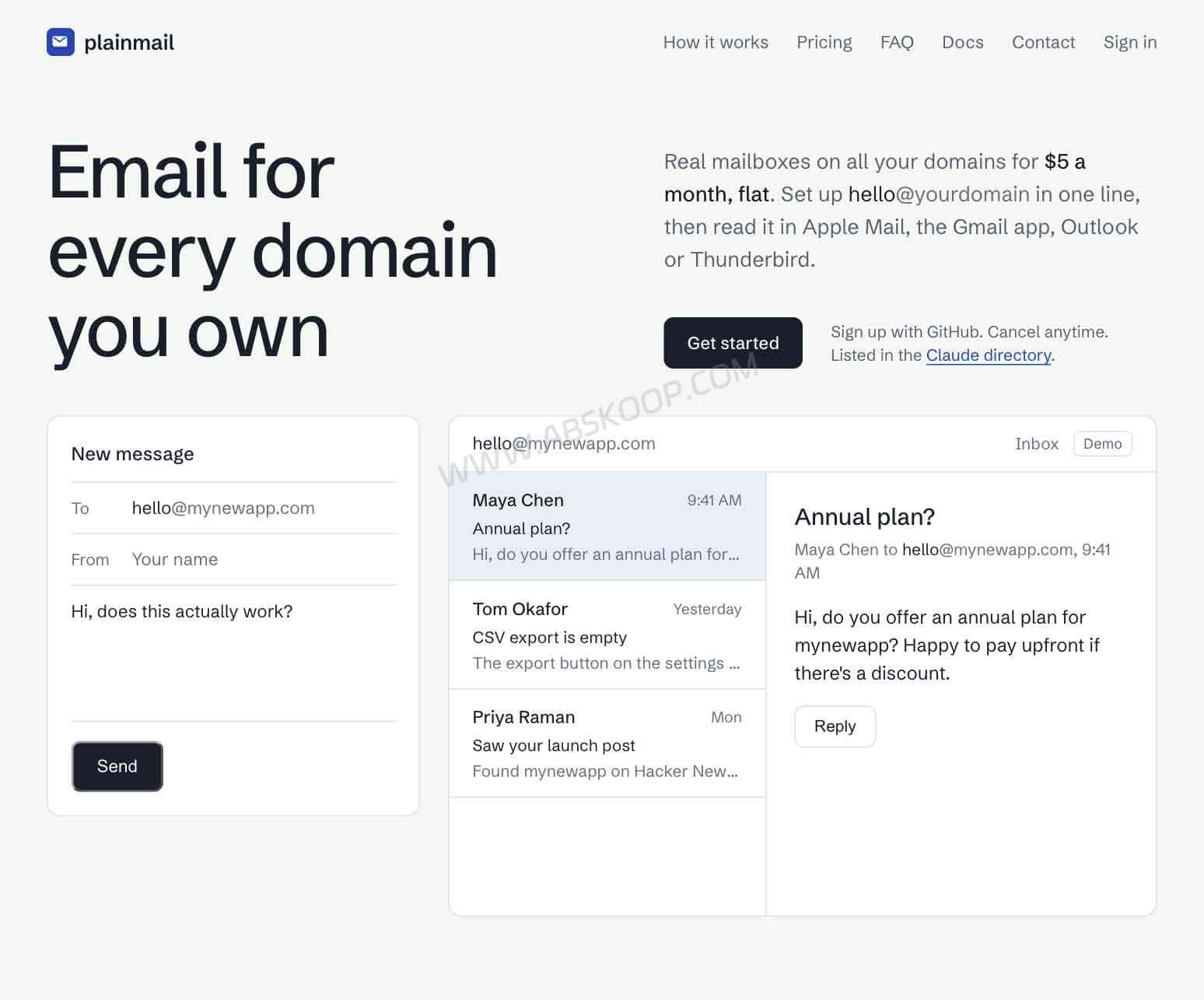
What Is Plainmail? Email Hosting vs. Email Forwarding
Before choosing an email service, it helps to understand the difference between forwarding, aliases, and independent mailboxes. They may look similar when you only need an address such as [email protected], but they work differently.
- Email forwarding: Incoming messages are redirected to an existing inbox, such as Gmail. It is mainly for receiving mail and does not provide a separate mailbox.
- Email alias: An additional address that delivers messages to an existing mailbox. Multiple addresses can share one inbox without creating separate accounts.
- Independent mailbox: A separate email account with its own inbox, login credentials, and IMAP/SMTP access.
Plainmail provides independent mailboxes and also supports aliases.
For example, if you manage three websites, you might want:
You can create these addresses in Plainmail and manage their inboxes through compatible email clients. Messages can be received and sent using the corresponding domain addresses rather than simply forwarding everything to a personal Gmail account.
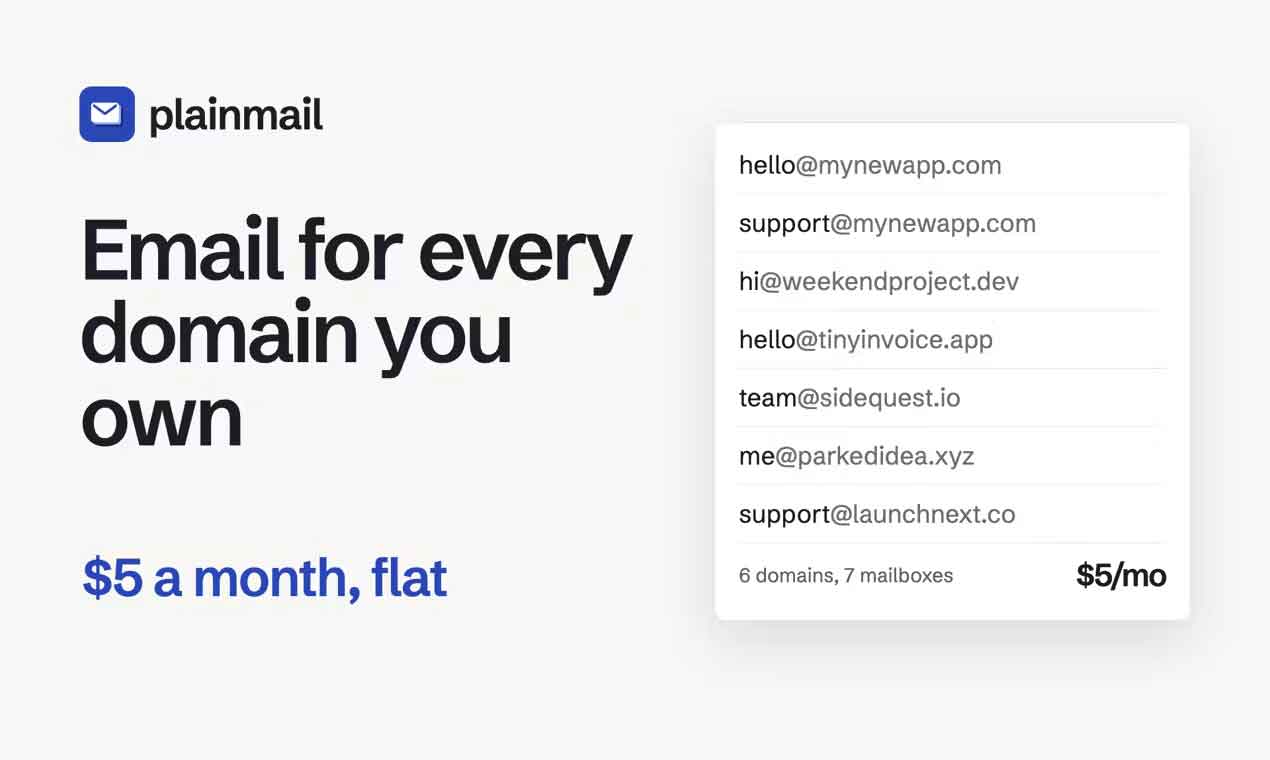
Aliases are still useful for addresses such as billing@, info@, or sales@. Just remember that an alias is not another independent mailbox with its own login and storage.
Plainmail Features: DNS Automation, IMAP/SMTP, and MCP
Automatic DNS Configuration for Multiple Domains
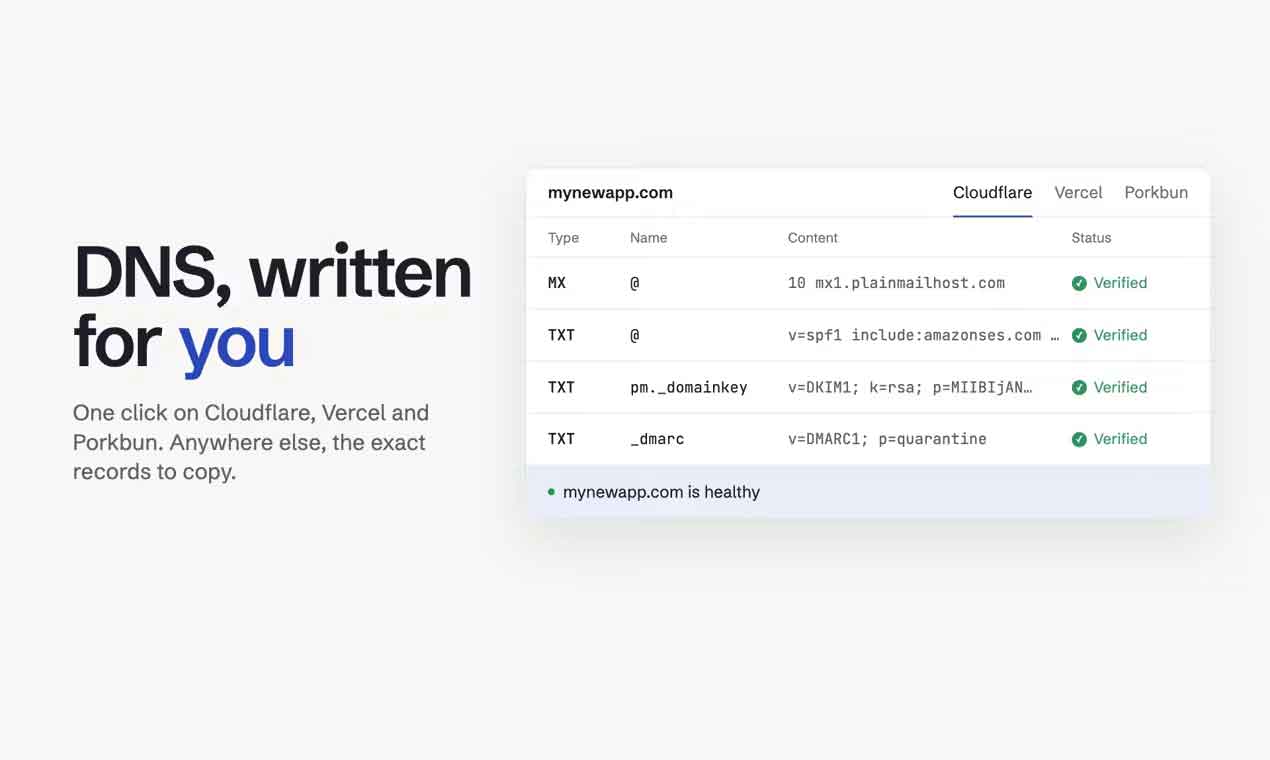
Setting up email for a custom domain usually involves several DNS records:
- MX: Directs incoming email to the mail server.
- SPF: Specifies which servers are authorized to send email for your domain.
- DKIM: Adds a cryptographic signature that helps receiving servers verify email authenticity.
- DMARC: Defines how receiving servers should handle messages that fail authentication checks.
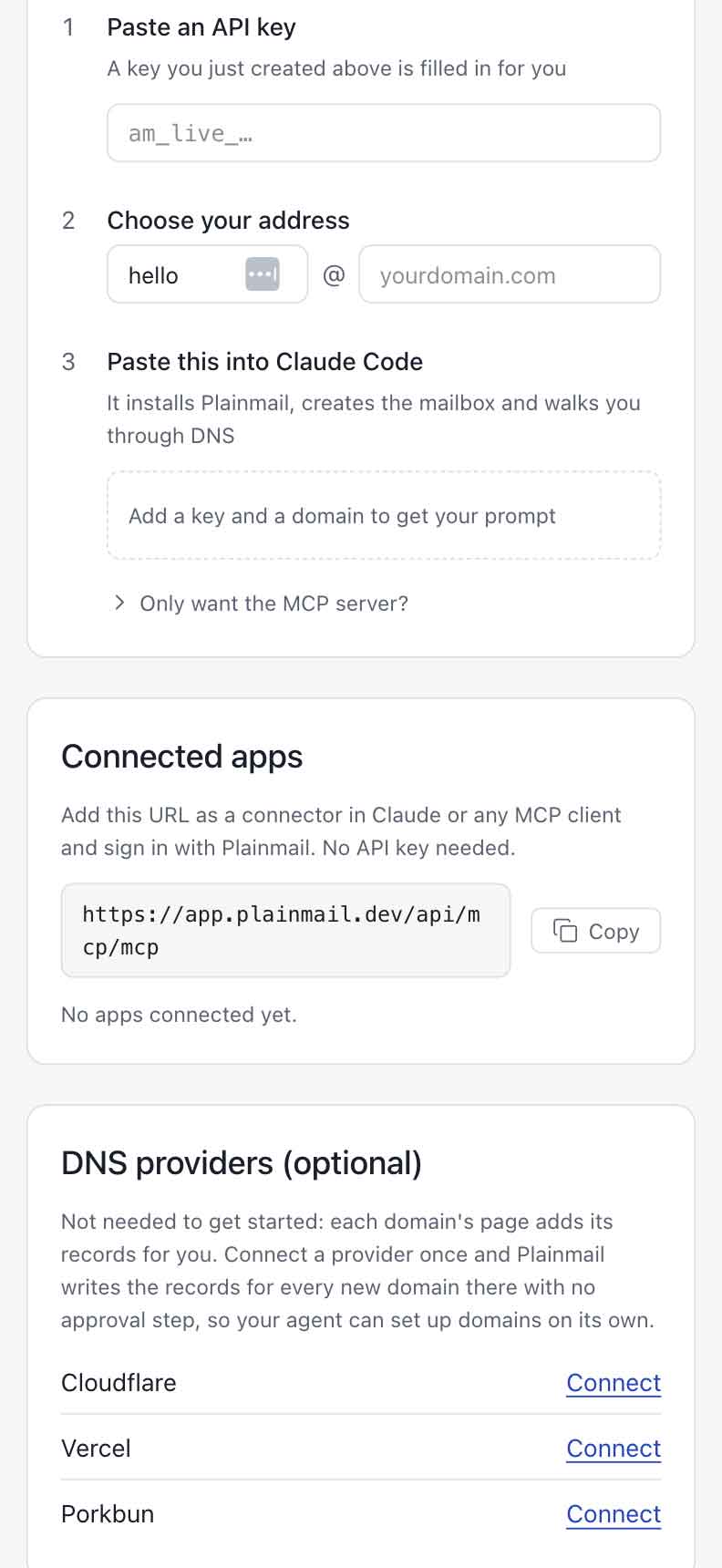
Plainmail supports automatic DNS configuration through Cloudflare, Vercel, and Porkbun. After adding a domain, you can connect a supported DNS provider and let Plainmail create the required mail records and check whether they are working.
If your DNS is hosted elsewhere, you can add the records manually using the values provided by Plainmail.
The main convenience is avoiding repetitive DNS work when managing several domains. However, automatic configuration is not available for every DNS provider, so some manual setup may still be necessary.
Use Your Existing Email Client with IMAP and SMTP
Plainmail supports standard IMAP and SMTP, so you do not need to switch to a new email application.
According to its official documentation, compatible clients include:
- Apple Mail
- Gmail App
- Microsoft Outlook
- Mozilla Thunderbird
You can add several project mailboxes to one email client, switch between inboxes, and reply using the correct domain address.
This is useful for website owners and independent developers who want to keep customer support, contact, and project emails in one familiar application.
Connect an AI Agent Through the Plainmail MCP Server
One feature that makes Plainmail different from traditional email hosting services is its remote MCP server.
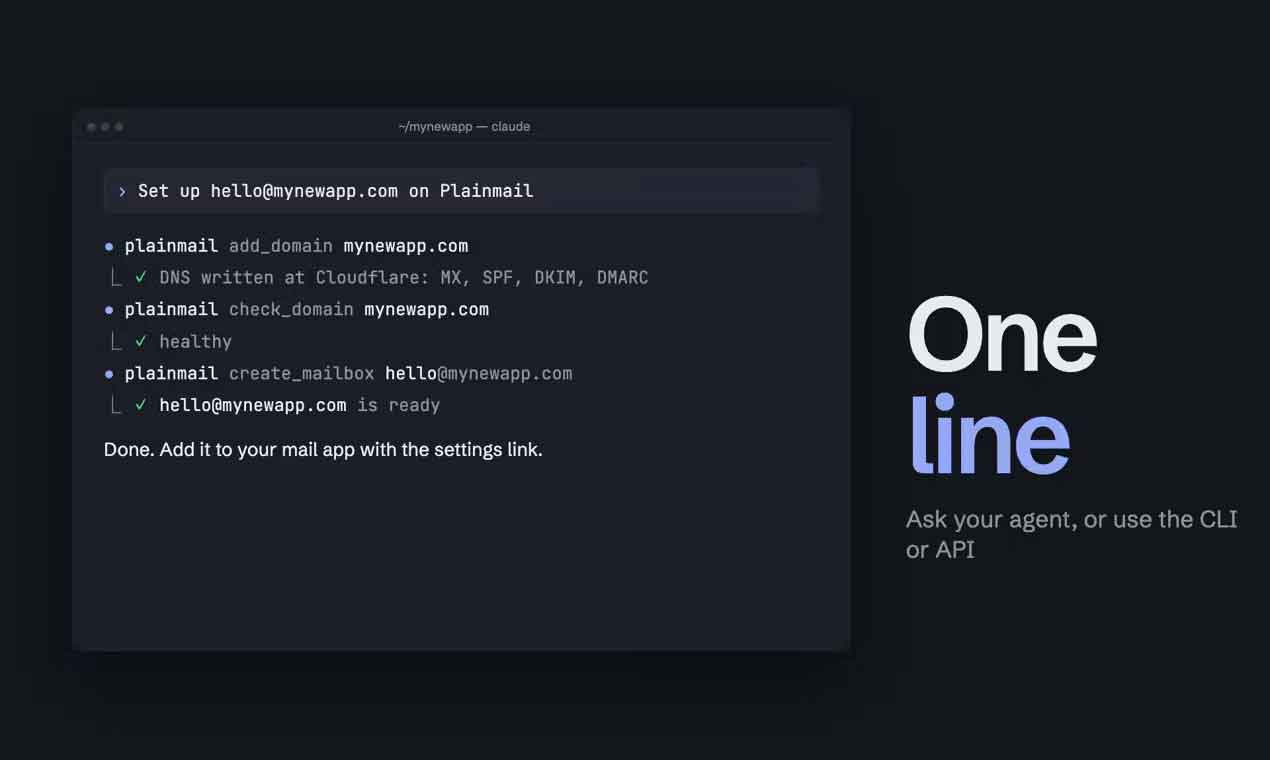
Compatible AI agents can use the authorized tools to perform tasks such as:
- Adding domains and configuring DNS records.
- Checking MX, SPF, DKIM, and DMARC records.
- Creating mailboxes and aliases.
- Listing and reading emails.
- Sending and replying to messages.
- Managing domains, mailboxes, and supported email settings.
For example, you could ask Claude to:
Set up [email protected] on PlainmailClaude can use the Plainmail MCP tools to handle the corresponding setup tasks after you authorize the connection.
This does not mean that AI automatically gets unrestricted access to every mailbox. Available actions depend on the permissions you grant, and MCP does not bypass Plainmail’s subscription or sending policies.
Plainmail Pricing: What Do You Get for $5 per Month?
Plainmail uses a flat monthly subscription rather than charging separately for every domain or mailbox. One $5 account includes the following limits:
| Feature | Included |
|---|---|
| Monthly price | $5/month |
| Domains | Up to 50 |
| Mailboxes | Up to 100 |
| Storage | 25GB per account |
| Daily sending limit | Up to 200 messages per mailbox |
| Email protocols | IMAP / SMTP |
| Developer interfaces | REST API / MCP Server |
| Free trial | Not available |
The 25GB storage allowance is shared at the account level, not 25GB for each mailbox. Plainmail’s Terms of Service list 25GB as an account resource, but do not specify how storage is allocated between individual mailboxes or whether each mailbox has a separate cap. If you plan to create many mailboxes or keep large attachments, check this with the provider before subscribing.
There is also an initial sending restriction. Although the plan lists up to 200 outgoing messages per mailbox per day, new accounts are limited to 50 messages per day during their first 14 days. The limit can increase based on normal sending activity, but Plainmail does not promise that every account will reach 200 messages immediately after that period.
Plainmail is also not intended for email marketing. Newsletters, promotional campaigns, and cold outreach are prohibited under its usage policy. Having 100 mailboxes does not mean you can use them for bulk campaigns.
If you manage ten or more websites and need separate contact or support addresses, $5 per month is relatively easy to budget for. If you only need incoming mail for one domain, a forwarding service such as Cloudflare Email Routing may be enough.
Plainmail vs. Purelymail, Migadu, and Google Workspace
Plainmail is not the only option for hosting email across multiple domains. Purelymail and Migadu offer account-based pricing, while Google Workspace charges per user and includes a broader set of business applications. Cloudflare Email Routing is a different option if you only need incoming mail forwarding.
| Provider | Reference price | Domain / mailbox model | Main difference |
|---|---|---|---|
| Plainmail | $5/month | 50 domains / 100 mailboxes | MCP and DNS automation |
| Purelymail | $10/year | No hard numerical limits | Low-cost account pricing |
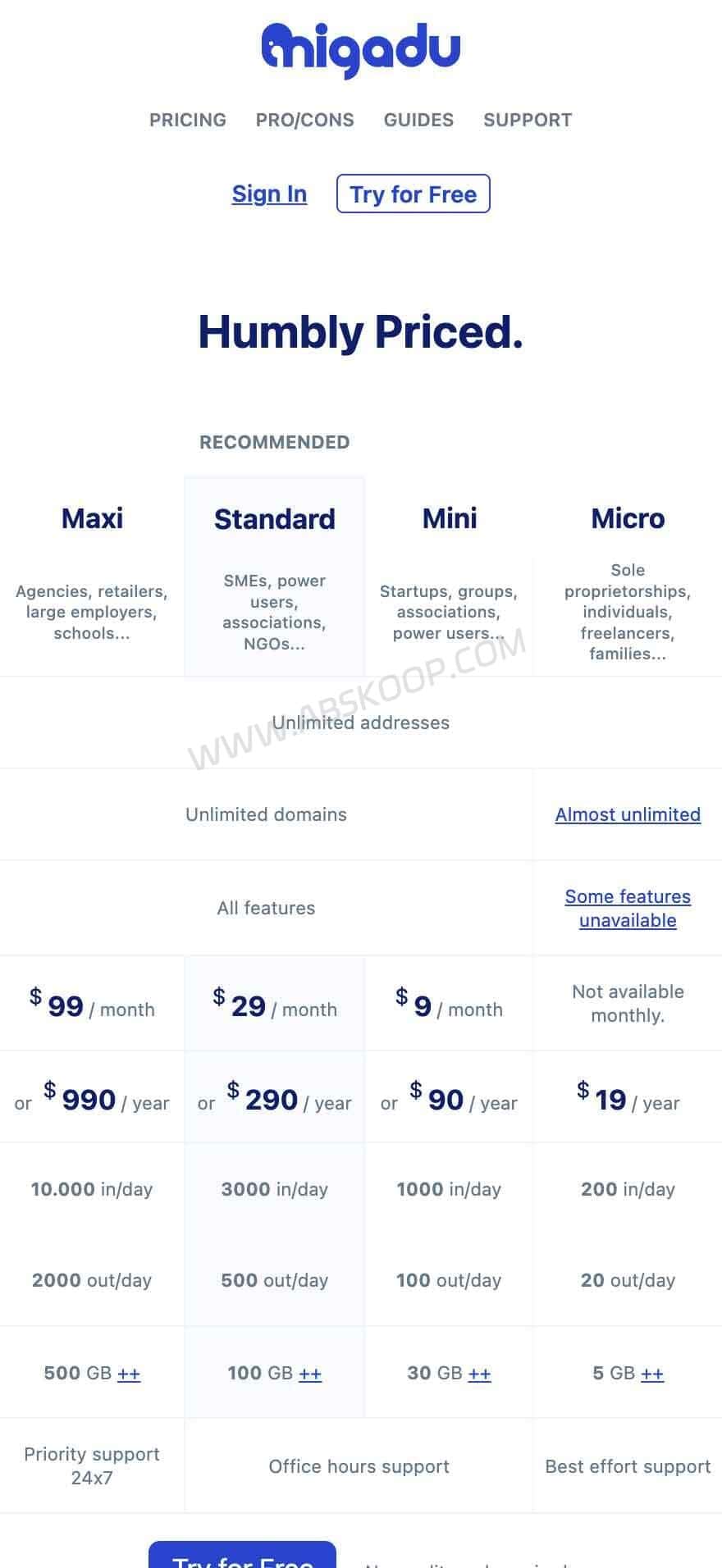
| Migadu Micro | $19/year | Account-level limits | Shared resource allowances |
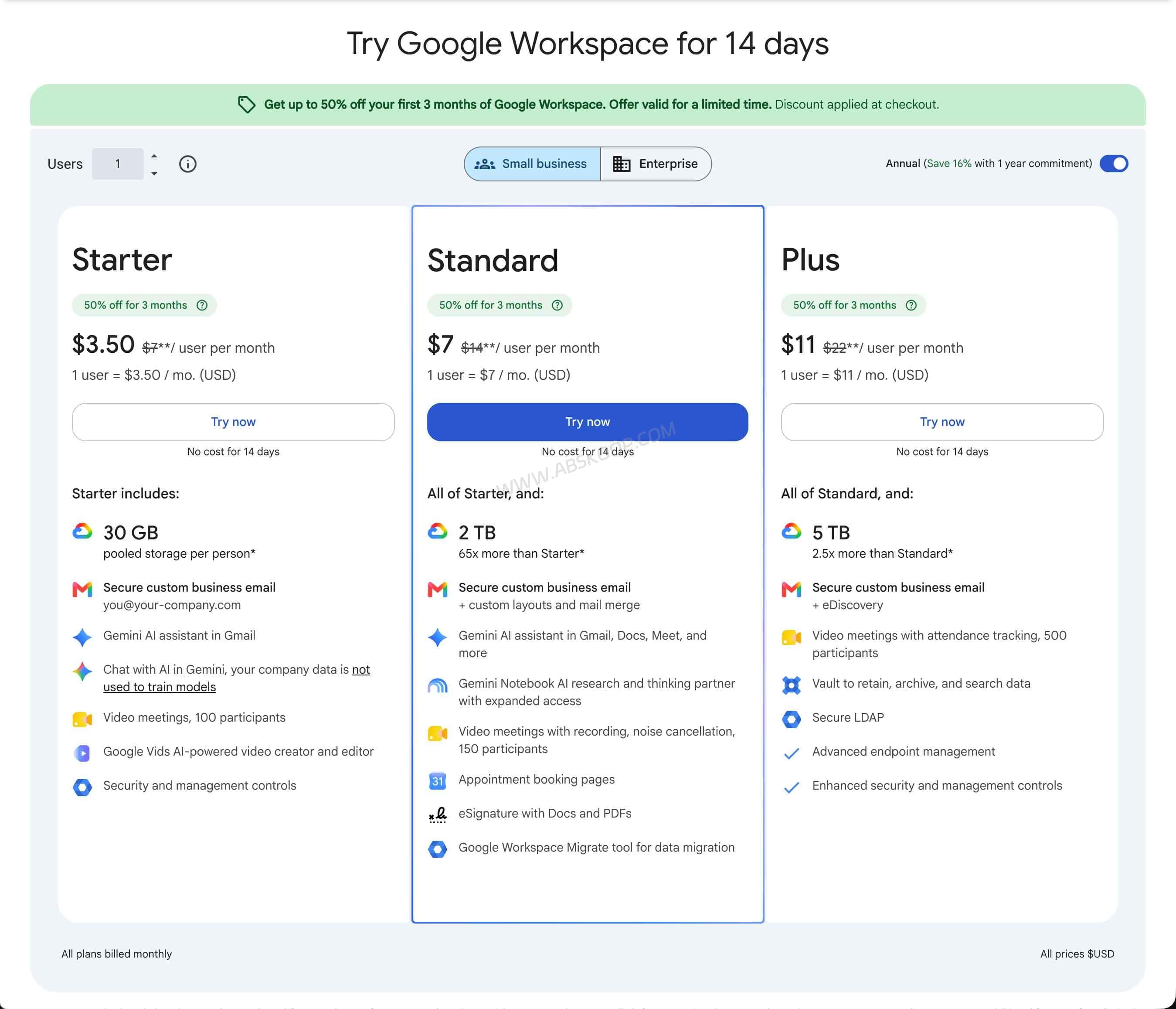
| Google Workspace Starter | $7/user/month annually | Per-user licensing | Gmail and business apps |
These plans do not offer identical storage, sending allowances, or account permissions. Compare the actual resources you need rather than choosing based on the headline price alone.
Purelymail: Low-Cost Hosting for Custom Domains
Purelymail’s Simple Pricing plan starts at $10 per year. Its pricing model does not impose hard numerical limits on users, custom domains, or storage under the basic plan.
Instead, it monitors resource usage. Accounts with substantially higher usage may move to its Advanced Pricing model, where charges are based on actual resource consumption.
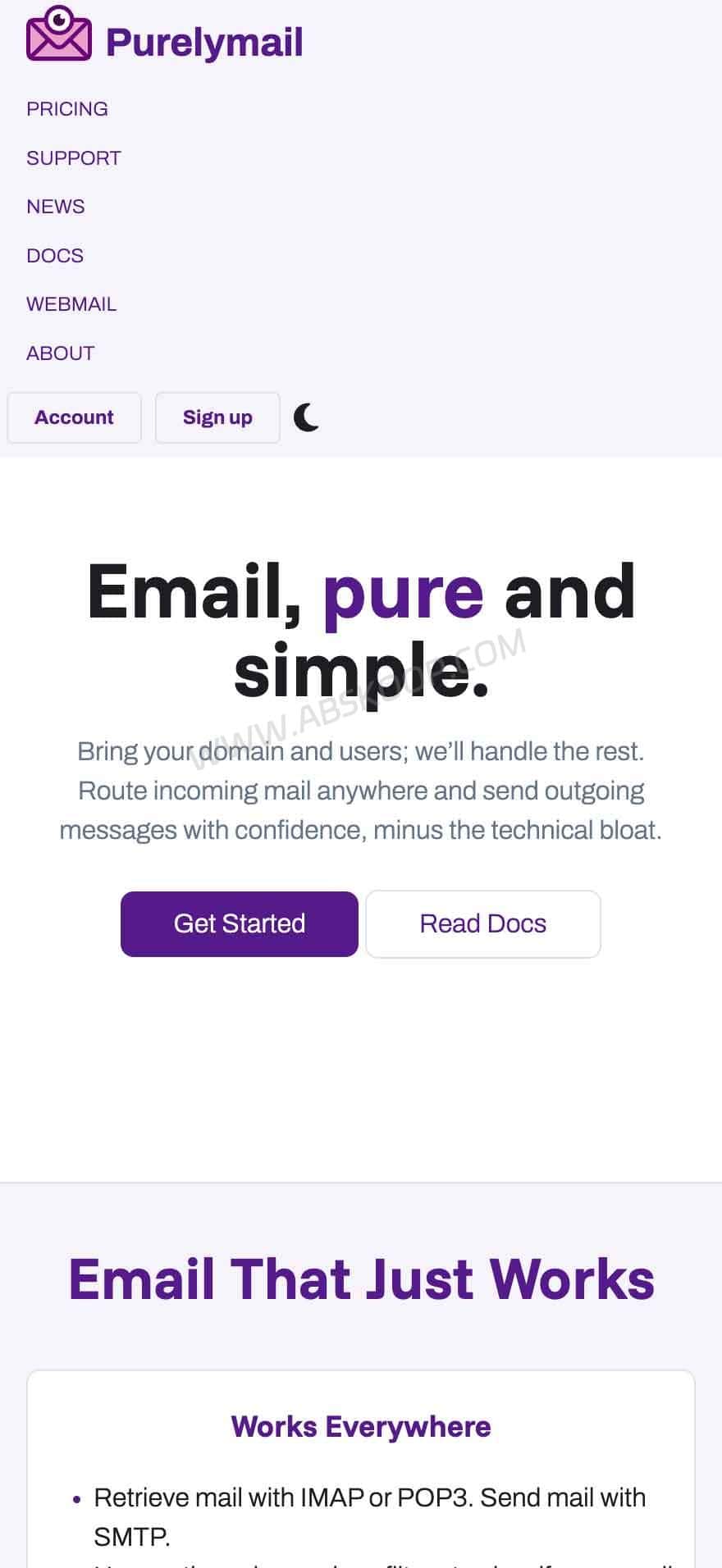
Purelymail is worth considering if you want to keep basic email hosting costs low and are comfortable with usage-based pricing when your account grows.
If you prefer clearly defined mailbox, storage, and sending limits, compare the actual usage rules before choosing it.
Website: Purelymail
Migadu: Account-Based Email Hosting for Multiple Domains
Migadu charges at the account level rather than billing separately for every email address or domain. One account can manage multiple domains and addresses, with all mailboxes sharing the plan’s resource allowances.
Its Micro plan is listed at $19 per year and is billed annually. The published reference limits include:
- Approximately 200 incoming messages per day.
- Approximately 20 outgoing messages per day.
- 5GB+ storage allowance.
- Multiple domains and email addresses.
These limits are shared across the account, not assigned separately to every mailbox. Micro also lacks some advanced features, including multi-admin access.
If you manage personal project domains and do not send many messages each day, Migadu Micro is a reasonable low-cost option to compare with Plainmail.
Website: Migadu Pricing
Cloudflare Email Routing: Enough If You Only Need Forwarding
If your domains already use Cloudflare and you only need an address such as [email protected] to forward incoming messages to Gmail, Cloudflare Email Routing may be all you need.
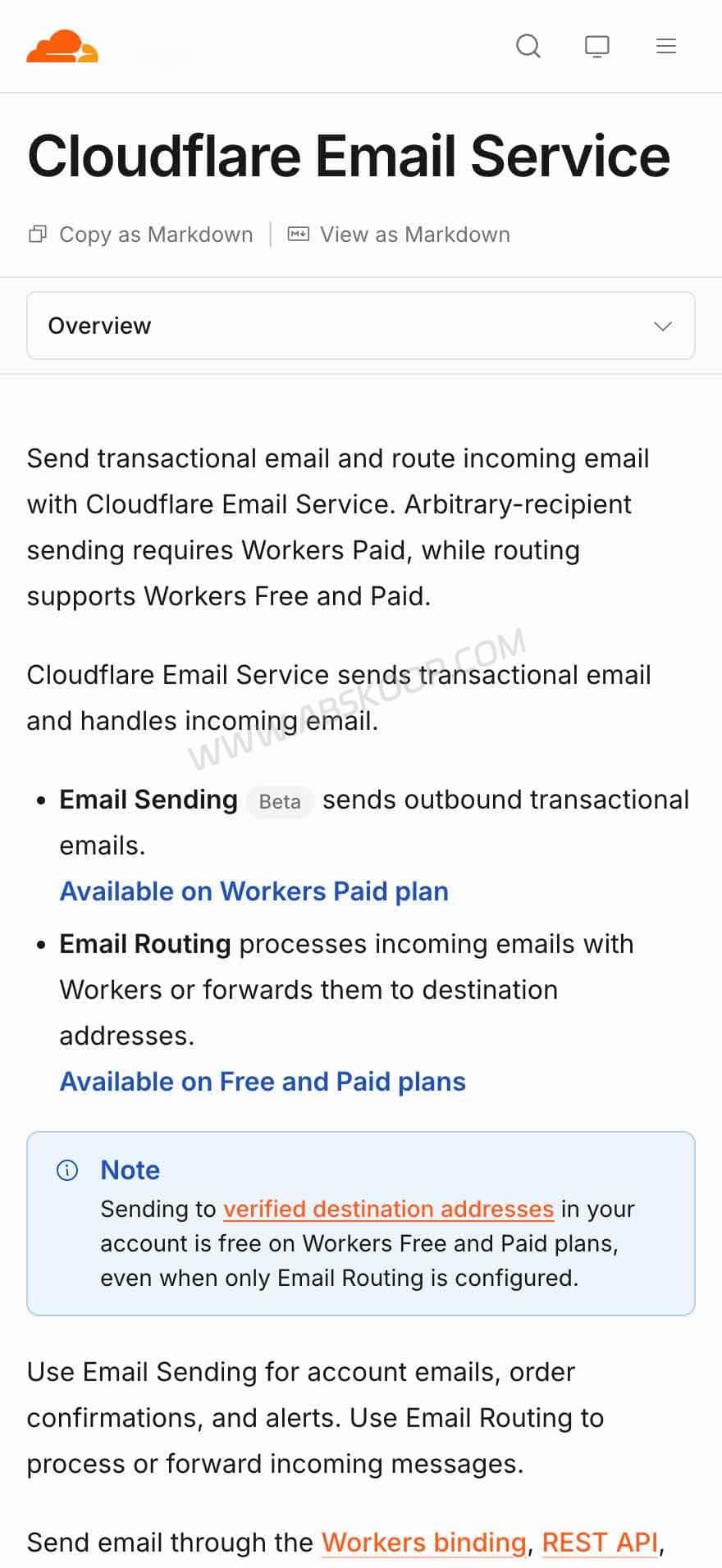
It uses routing rules to forward incoming messages to a verified destination address. You can also use Cloudflare Workers for more customized email workflows.
However, Email Routing does not provide a standalone IMAP mailbox that you can log into through Apple Mail or Outlook.
Cloudflare also offers a separate Email Sending Beta for transactional email through Workers, REST API, or authenticated SMTP. Sending to arbitrary recipients requires Workers Paid. This is a different service from Email Routing and should not be confused with a full hosted mailbox.
If you only need incoming mail forwarding, there is little reason to pay for a complete mailbox service.
Documentation: Cloudflare Email Service
Google Workspace: Better for Teams That Need a Full Office Suite
Google Workspace offers more than custom-domain Gmail. Its plans also include Google Drive, Calendar, Meet, and administrative tools for organizations.
In the US, Business Starter is listed at $7 per user per month with an annual commitment, or $8.40 per user per month on the flexible plan. It includes 30GB of pooled storage per user.
One useful feature is Google’s User Alias Domain support. A user can receive mail at addresses on both the primary domain and an alias domain, with messages delivered to the same inbox. Alias domains do not require additional user licenses, and one Workspace account can add up to 20 user alias domains.
However, if you create separate users with independent mailboxes on different domains, each user still needs the appropriate license.
For a single person managing several domain addresses in one inbox, Google Workspace aliases may already be sufficient. If you need many independent mailboxes, compare its per-user pricing with Plainmail’s flat-rate plan.
Official resources:
How to Set Up Email Hosting with Plainmail
The following steps are based on Plainmail’s published setup documentation. They are not a record of hands-on testing by Ahhhhfs.
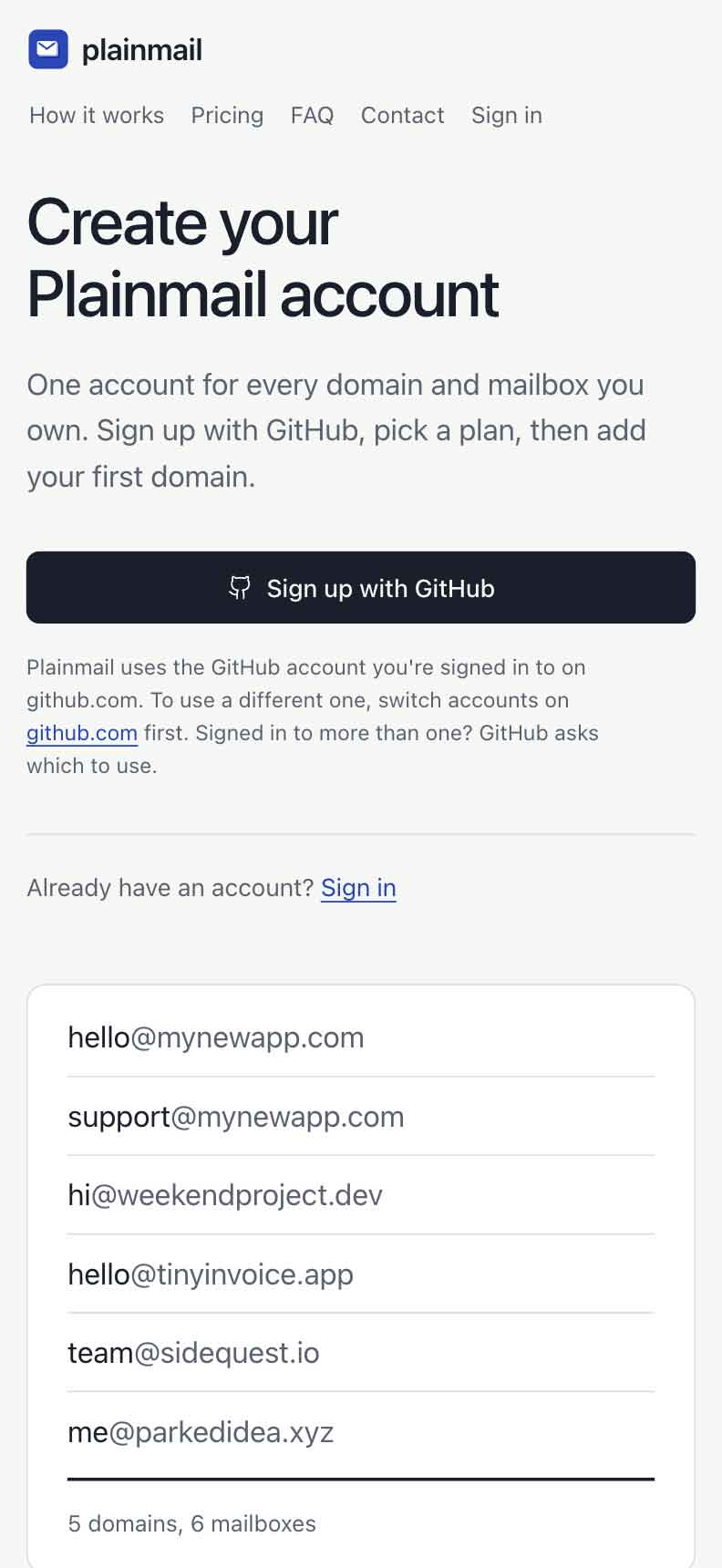
1. Create a Plainmail Account
Visit the Plainmail website and sign in with your GitHub account. You can then subscribe to the $5 monthly plan.
There is currently no free plan or free trial, so check the mailbox count, storage allowance, and sending policy before paying.
2. Add Your Domain and Create Mailboxes
Add the domain you want to use in the Plainmail dashboard, then create the required email addresses.
[email protected]
[email protected]
If your DNS is managed through Cloudflare, Vercel, or Porkbun, you can connect the provider and let Plainmail add the required email records automatically.
For other DNS providers, add the records manually using the values supplied by Plainmail.
3. Verify MX, SPF, DKIM, and DMARC Records
After configuring the domain, check that the following DNS records are present and correct:
- MX points to the correct incoming mail server.
- SPF authorizes the appropriate outgoing mail servers.
- DKIM is published and passes verification.
- DMARC follows the policy you intend to use for your domain.
If the domain already uses Google Workspace, Cloudflare Email Routing, or another email provider, review the existing MX and SPF records before switching. Conflicting records can prevent messages from being delivered correctly.
4. Connect Your Email Client
Once the domain and mailbox are ready, use the account settings provided by Plainmail to add the mailbox to Apple Mail, Gmail App, Outlook, or Thunderbird.
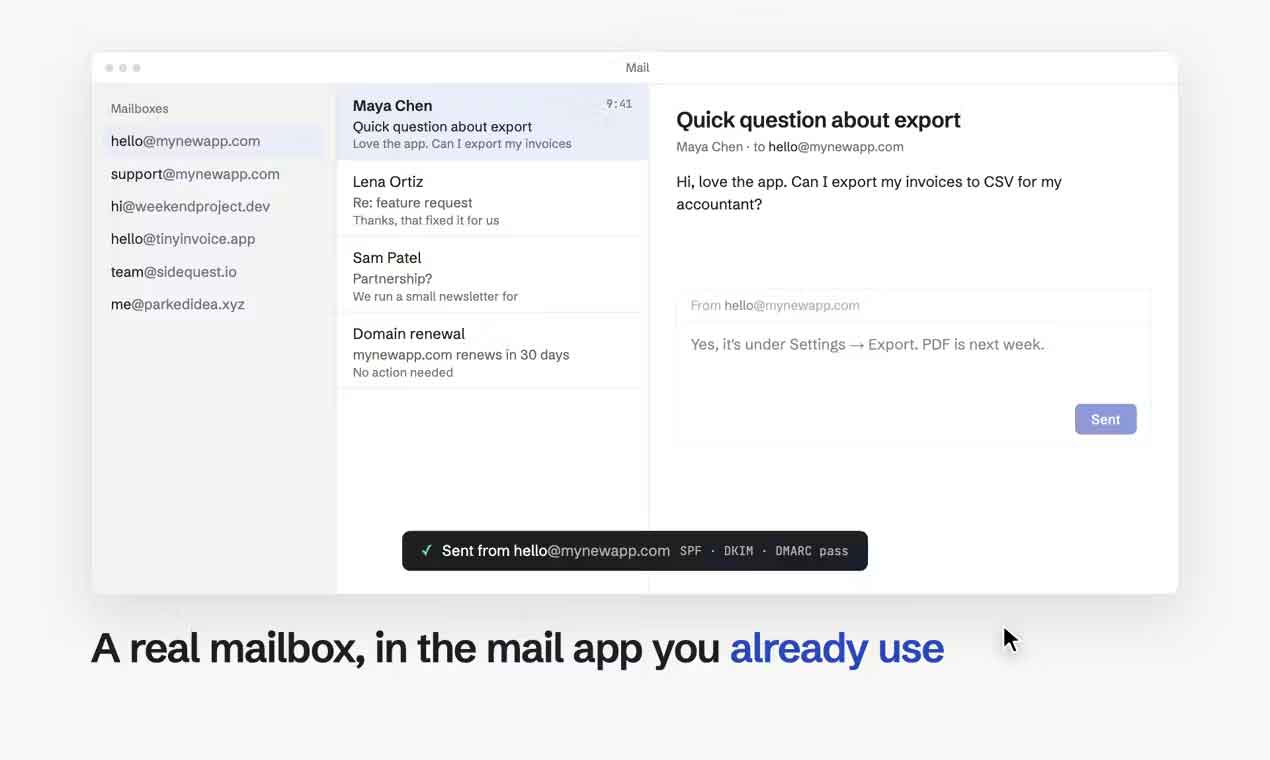
Because Plainmail supports standard IMAP/SMTP, you can continue using your existing email application.
Before moving important mailboxes, send a few test messages from another email account. Check incoming mail, replies, attachments, and authentication results. Successful sending does not guarantee inbox placement; recipient policies, domain reputation, and message content also affect deliverability.
How to Connect Plainmail to Claude MCP
If you use Claude, Claude Code, or another AI tool that supports remote MCP, you can connect it to Plainmail to manage domains and email accounts.
Connect from Claude Desktop or the Web App
- Open Claude Settings.
- Go to Connectors.
- Select Add custom connector.
- Enter Plainmail as the connector name.
- Paste the official MCP server URL.
- Connect your Plainmail account and approve the required permissions.
The official MCP server endpoint is:
https://app.plainmail.dev/api/mcp/mcpConnect from Claude Code
Run the following command:
claude mcp add --transport http plainmail https://app.plainmail.dev/api/mcp/mcpThen open the MCP interface:
/mcpSelect Plainmail and complete the account authorization in your browser.
Cursor, VS Code, and other clients that support remote MCP and OAuth may also connect to the same server. Clients without OAuth support can use an API key if supported by their integration.
Review MCP Permissions Before Connecting
Plainmail’s MCP permissions cover three main areas:
- Read mail: List messages, read emails, and access attachments.
- Send and organize mail: Send, reply to, label, and move messages.
- Manage domains, mailboxes, and billing: Manage domains, mailboxes, aliases, and billing-related settings.
Only grant the permissions your workflow needs. For example, an agent that only checks DNS records does not need permission to read or send email.
Plainmail also states that newly generated mailbox passwords are shown to users through one-time links rather than being passed directly to the AI agent. Email content returned through its tools is marked as untrusted, with instructions for the agent not to follow commands embedded in message bodies.
These measures help reduce some risks, but they do not make every AI workflow automatically safe. Review the permissions of connected applications and revoke access in Plainmail Settings when you no longer need an integration.
Plainmail Limitations: 5 Things to Know Before Subscribing
Plainmail’s flat pricing is attractive, but it is designed for a particular type of email use. It is worth checking these limitations before moving important business mail to the service.
1. It Is Not for Newsletters or Marketing Campaigns
If you plan to send product announcements, newsletters, promotional campaigns, or cold emails, Plainmail is not the right service.
Its acceptable-use policy focuses on ordinary communication, such as replying to customer inquiries, contacting business partners, receiving website notifications, and handling day-to-day business correspondence.
Marketing campaigns, newsletters, cold outreach, and messages sent to purchased or scraped mailing lists are prohibited.
This restriction applies even when recipients have opted in to a mailing list. If you need newsletter subscriptions, marketing automation, or bulk promotional email, use a dedicated email marketing platform instead.
2. New Accounts Start with a 50-Message Daily Limit
The plan lists up to 200 outgoing messages per mailbox per day, but new accounts are limited to 50 messages per day during their first 14 days. The limit may increase based on normal sending activity, but there is no guaranteed date for reaching the full allowance.
Plainmail uses Amazon SES for outgoing email and monitors bounces and spam complaints. Accounts with poor sending quality may face restrictions or review.
For ordinary project communication and customer replies, this may be enough. If your application needs a high volume of automated transactional messages, a dedicated email delivery service is a better fit.
3. Creating 100 Mailboxes Does Not Mean 100 People Get Separate Access
This is one of the most important limitations to understand.
The plan supports up to 100 mailboxes, but mailbox creation and user permissions are two different things. In a public Product Hunt discussion, a user asked whether customers could access only their own mailboxes. The developer replied that, at the time, only the website owner could access the inboxes.
In other words, do not assume that every mailbox can be assigned to a separate employee or customer with an independent login and isolated access.
If you manage several project inboxes yourself, this may not be a problem. If employees need separate accounts, team collaboration, or detailed access controls, Google Workspace or Microsoft 365 is a more suitable option.
4. Email Data Is Primarily Stored in the United States
Where your email data is stored may matter if you handle customer information or business correspondence.
According to Plainmail’s privacy policy, its mail servers are located in Ashburn, Virginia. Email files are stored using Cloudflare R2, encrypted backups are kept in Amazon S3 in Ohio, and Amazon SES handles outgoing messages.
Plainmail says it does not sell or rent user data and does not routinely read user emails. Incoming messages are scanned for spam, and staff may access relevant content when users request support or when legally required.
For ordinary personal projects, this information helps explain how the service operates. Businesses with data residency, privacy, or regulatory requirements should review the actual data-processing arrangements and determine whether they meet their obligations. A provider’s privacy statement alone is not proof of regulatory compliance.
5. Export Your Emails Before Cancelling
Plainmail supports standard IMAP/SMTP, so you can use a compatible email client or migration tool to copy messages to another provider.
However, cancelling your subscription does not mean your mailboxes will remain available indefinitely. Under its privacy policy, account and mailbox data are deleted within 60 days after the subscription ends. Backup copies may take up to another 60 days to be fully cleared.
If you plan to leave Plainmail, export your messages and attachments first. Verify that the migration is complete before changing your MX records to point to the new provider.
Do not treat an expired Plainmail account as a permanent email archive.
Is Plainmail Worth It? Who Should Use It?
If you run several websites, SaaS products, or side projects and need separate email addresses for each one, Plainmail is worth considering. Its $5 monthly plan makes it possible to manage multiple domains and independent mailboxes without paying a separate subscription for every address.
For example, you could manage hello@, support@, and contact@ addresses across different projects through Apple Mail or Outlook. If you also use Claude or another AI agent, MCP provides another way to manage domains and mailboxes.
Plainmail is a reasonable fit for solo website owners, independent developers, and small project operators who manage their own email accounts and want predictable subscription costs.
It is not the best choice for everyone:
- Only need incoming website messages? Cloudflare Email Routing may be enough without paying for full mailbox hosting.
- Looking for the lowest annual cost? Compare Purelymail and Migadu, including their shared resource and sending limits.
- Need separate employee or customer access? Google Workspace or Microsoft 365 is a better fit for established team administration.
- Need newsletters or marketing automation? Choose a dedicated email marketing service. Plainmail prohibits these activities.
Plainmail’s main advantage is not that it offers more features than a full business email suite. It is the ability to manage multiple domains and independent mailboxes for a relatively predictable monthly cost.
If you plan to use it for an important business domain, start with a non-critical domain. Check incoming and outgoing mail, DNS configuration, email-client access, and migration before moving your other domains.
Frequently Asked Questions
How many domains and mailboxes can one Plainmail account support?
One account supports up to 50 domains, 100 mailboxes, and 25GB of shared storage for $5 per month. These are account-level limits, not separate allowances for every mailbox.
What is the difference between Plainmail and email forwarding?
Email forwarding redirects incoming messages to an existing inbox. Plainmail provides independent IMAP/SMTP mailboxes that can send and receive messages using your own domain addresses.
No. Its usage policy prohibits newsletters, marketing campaigns, bulk promotional email, and cold outreach. Use a dedicated email marketing platform for those activities.
Can Plainmail send 200 emails per mailbox every day?
The plan lists up to 200 outgoing messages per mailbox per day. New accounts start with a limit of 50 messages per day for the first 14 days. The allowance may increase based on normal sending activity, but the full limit is not guaranteed immediately afterward.
Can employees or customers log in to their own Plainmail inboxes?
Public developer information indicates that mailbox access was primarily limited to the website owner at the time of the Product Hunt discussion. Do not assume that the service provides independent employee or customer mailbox permissions.
Does Plainmail support Claude MCP?
Yes. Plainmail provides a remote MCP server that can connect to Claude, Claude Code, and other compatible clients. Available actions depend on the permissions granted during authorization.
Can I migrate emails away from Plainmail?
Yes. Its standard IMAP support allows messages to be copied to another compatible email provider using an email client or migration tool. Export your messages and attachments before cancelling because account data is subject to deletion after the subscription ends.
Official Links and Resources
- Plainmail Official Website
- Plainmail Documentation
- Plainmail Terms of Service
- Plainmail Acceptable Use Policy
- Plainmail Privacy Policy
- Plainmail on Product Hunt
- Purelymail
- Migadu Pricing
- Cloudflare Email Service Documentation
- Google Workspace Pricing
- Google Workspace Domain and Alias Documentation
Editorial note: This article is based on Plainmail’s official website, documentation, Terms of Service, acceptable-use policy, privacy policy, public Product Hunt discussion, and the official documentation of competing services. No independent email deliverability, performance, or long-term reliability tests were conducted. Prices and features may change. Last reviewed: November 7, 2026.


Comments (0)