



When a Claude Code session hits a usage limit or a debugging path stops making progress, switching to Codex can provide another way forward. The new session, however, does not automatically know the project architecture, the errors already investigated, the approaches that failed, or the work that remains. ai-memory stores this project context so another AI coding agent can retrieve it later.
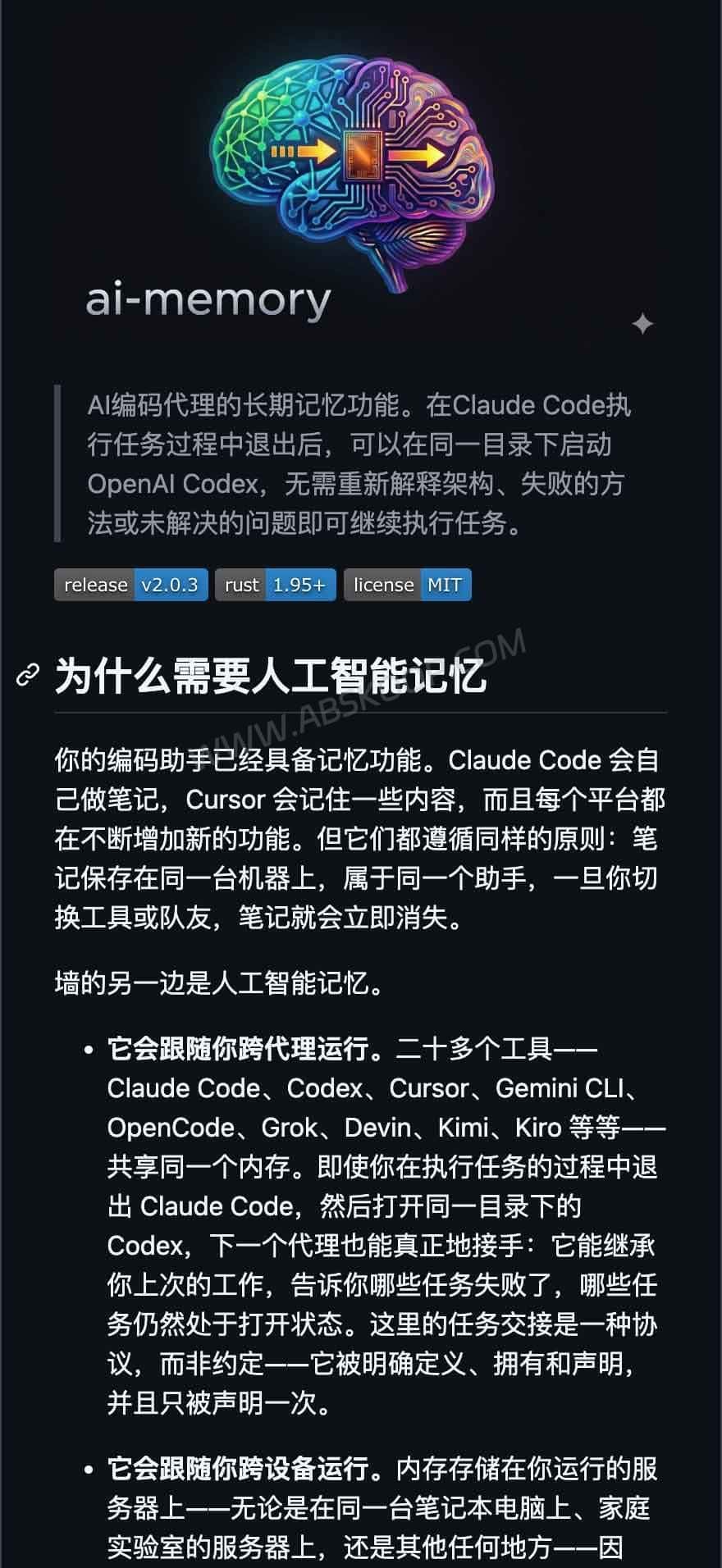
How ai-memory differs from built-in agent memory
Claude Code already supports CLAUDE.md files and automatic memory, while Cursor provides project rules and related context features. These built-in systems may be sufficient when all work stays inside one coding tool. Their debugging history, technical decisions, and unfinished tasks do not normally appear automatically after moving to a different agent.
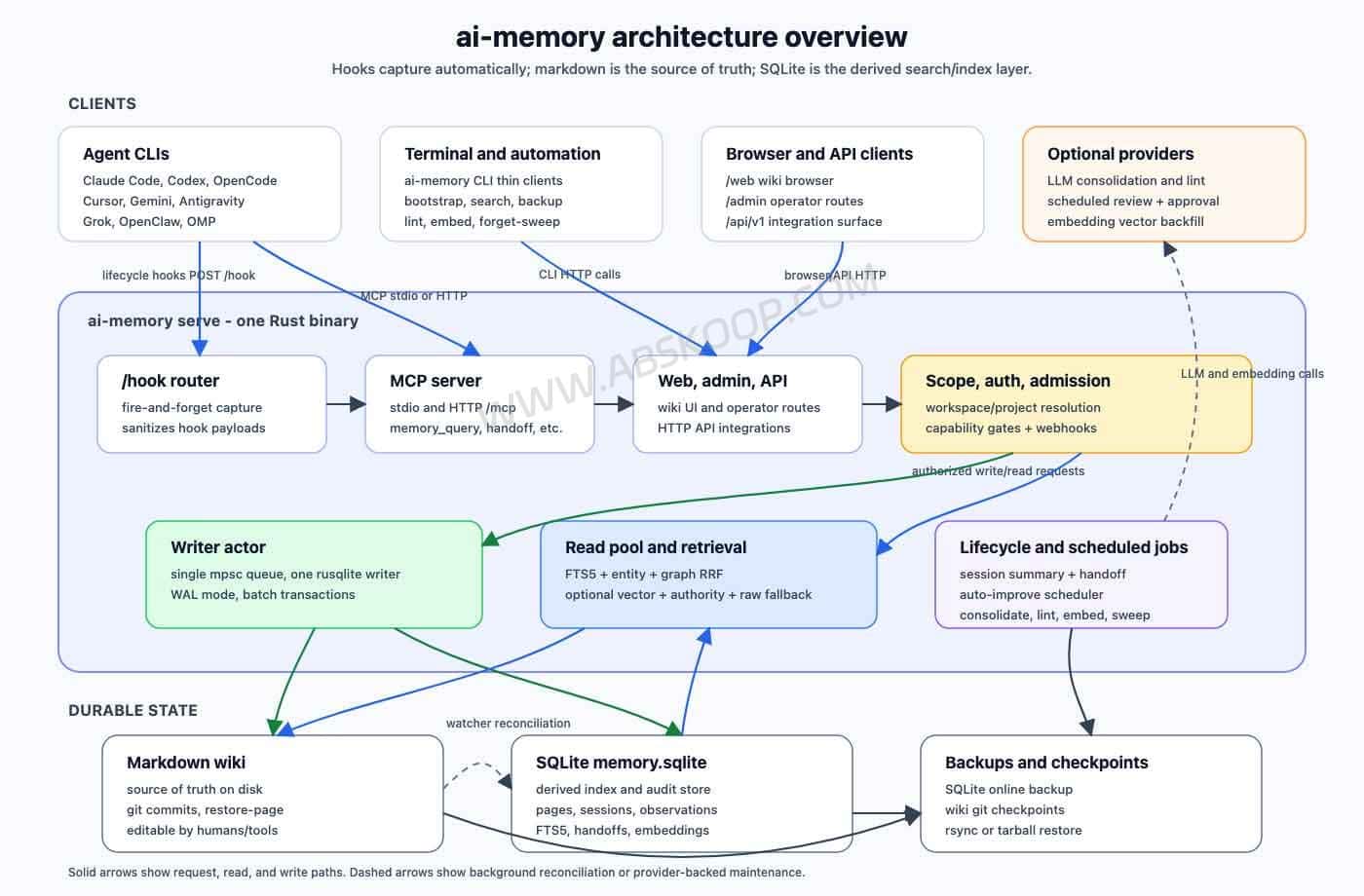
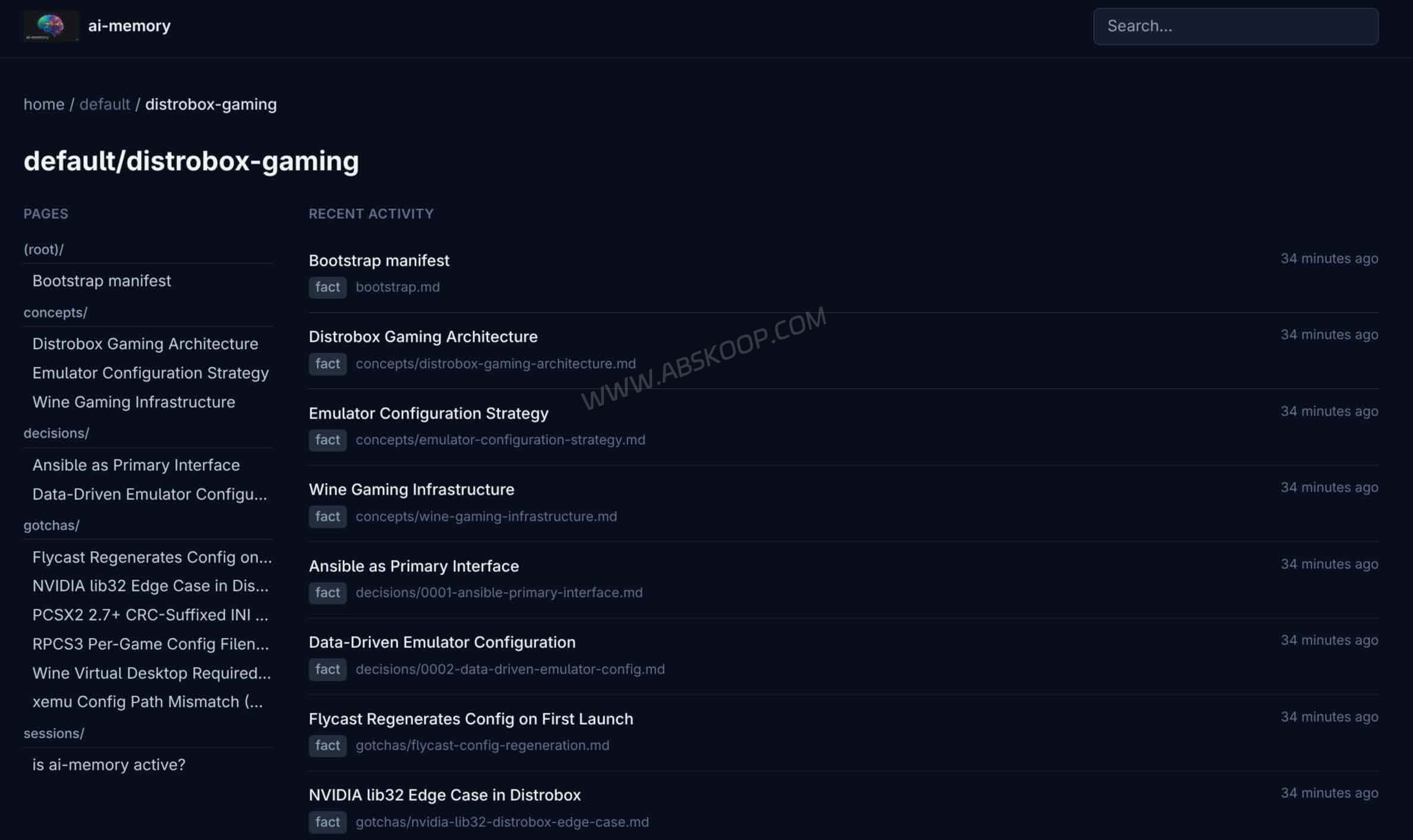
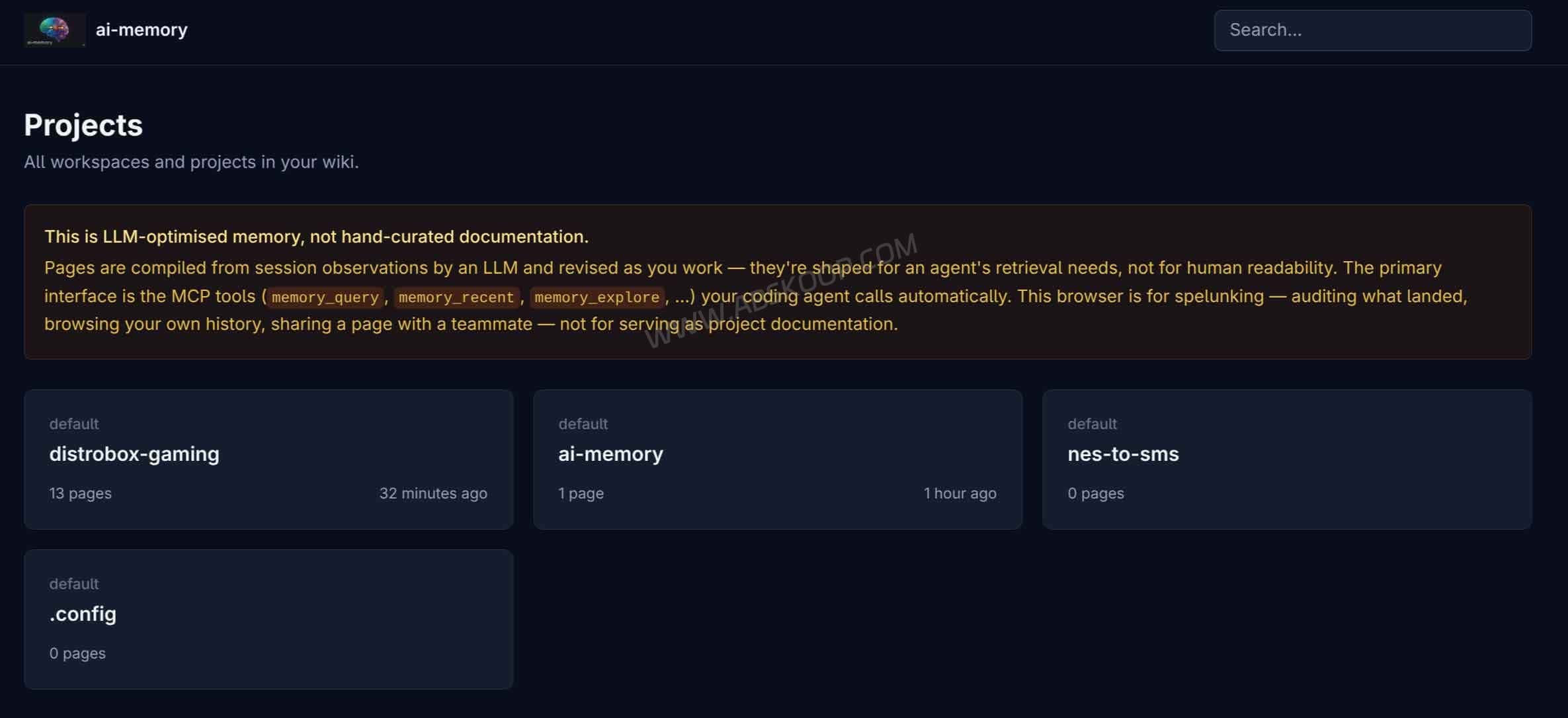
ai-memory runs a shared memory service outside those individual tools. Lifecycle hooks capture prompts, tool calls, and session boundaries. The service turns those observations into Markdown pages that later sessions can search and use for handoffs.
The Markdown wiki is the primary source of truth, with Git recording its history. SQLite provides derived indexes for full-text search, entities, relationships, and optional vectors. Those indexes can be rebuilt from the files, while the Markdown pages remain directly readable, editable, and portable.
What carries over from Claude Code to Codex?
Once both clients are connected to the same ai-memory service and mapped to the same project, Claude Code can leave a Handoff containing task progress, attempted approaches, and unresolved questions. Codex can then retrieve that record instead of asking for the entire project history again.
The basic hooks and Handoff system are enough when Codex only needs to know where the previous session stopped. The optional managed workstreams feature goes further: it records visible events and tool-call history across agents and links the native sessions maintained by Claude Code, Codex, and other supported clients.
This gives the next agent a usable task history. It does not copy Claude Code’s complete internal session state into Codex.
Switching agents in the same project directory
When Claude Code and Codex open the same local project directory, Codex can inspect the files already present there, including uncommitted changes. Switching agents on the same computer does not require a Git commit or push first.
ai-memory adds information that may not be obvious from the files: why a particular approach was chosen, which fixes were already attempted, how far an error investigation progressed, and what should happen next. The current checkout and project instructions still take priority over stored historical memory.
Continuing the project on another computer
Running ai-memory on a Homelab server, LAN host, or remote server allows several computers to access the same project memory. Source files are handled separately. The second computer still needs the correct repository state, branch, dependencies, and environment variables.
A cross-machine handoff therefore has two parts: retrieve the previous task history through ai-memory, then synchronize the code and development environment through Git or another file-management process. Local changes that never reached the second machine will not be transferred by ai-memory.
Which AI coding tools does ai-memory support?
ai-memory supports several AI coding clients. The table below covers the tools most relevant to this article and shows why “supported” does not mean identical automation on every client.
| Client | Integration | Limitations and setup notes |
|---|---|---|
| Claude Code | MCP + lifecycle hooks | Lifecycle events can be captured after setup, subject to capture rules and exclusions. Capturing the assistant’s final response requires both --capture-assistant during hook installation and capture_assistant on the server. It is disabled by default. |
| Codex | MCP + lifecycle hooks | Codex CLI 0.145.0 and later provide a native SessionEnd event, allowing automatic end-of-session summaries and handoffs. Older Codex versions can use ai-memory finalize-session --agent codex as a fallback. Assistant-final-response capture is not supported for Codex. |
| Cursor | MCP + lifecycle hooks | Supports memory tool calls and lifecycle capture after the relevant MCP and hook configurations are installed. Captured events may change as Cursor updates its integration interfaces. |
| Gemini CLI | MCP + lifecycle hooks | Supports memory tool calls and lifecycle capture. MCP and hook integrations need to be installed for Gemini CLI. |
| VS Code Copilot | MCP only | Copilot Agent mode can call the memory tools exposed by ai-memory, but the integration currently has no lifecycle hooks and does not provide the same automatic capture flow as Claude Code. |
Claude Code, recent Codex releases, Cursor, and Gemini CLI can combine memory tools with lifecycle capture. Older Codex releases require a manual fallback when a final summary or Handoff is needed. VS Code Copilot currently works through MCP without automatic lifecycle capture.
Does ai-memory need an LLM?
Can ai-memory work without an external LLM?
Yes. Core ai-memory functions do not require a hosted LLM. Project memory is stored in a Git-backed Markdown wiki, while SQLite maintains derived indexes. Without a configured language model, the system can still search through FTS5, declared entities, and graph relationships, and it can produce rule-based session summaries and handoffs.
Since version 2.0, a fresh installation with no embedding provider configured attempts to enable in-process local embeddings automatically. The approximately 87MB model downloads in the background on first startup, and hybrid search normally becomes available after the next restart. If the model cannot be downloaded or the installed build lacks local embedding support, ai-memory continues with its non-vector search path.
A separate LLM provider can be configured for richer session consolidation and related model-assisted features. Hosted embedding providers include OpenAI, Voyage, and Gemini, while compatible local or self-hosted endpoints include Ollama and LM Studio. Existing installations retain an explicitly configured embedding provider rather than being switched automatically.
No external LLM calls does not mean the entire workflow has no cost. The server still consumes storage, memory, and compute resources, while backups, upgrades, and compatibility maintenance require time. Subscriptions or model usage for Claude Code, Codex, and other coding agents are separate expenses.
Does project memory leave the machine when using cloud models?
It can. Self-hosting means that you control the ai-memory server and its data directory. The data path changes when a hosted model or embedding provider is enabled. Content used to generate summaries or embeddings is sent to the selected provider, so its retention and data-processing terms should be reviewed before use.
Local models can keep the corresponding ai-memory summarization or embedding workload inside your own environment. This does not change how the coding agent itself connects to its model provider. Even when ai-memory makes no cloud model calls, Claude Code, Codex, or another coding assistant may still send code and project context to its own service.
Should you run ai-memory locally, on a Homelab, or on a VPS?
For a single computer, ai-memory can run on the same machine as the coding agent. A Homelab server, LAN host, or remote VPS becomes useful when several computers or team members need to access the same project memory.
The official quick-start configuration binds the service to 127.0.0.1 without authentication, so other computers cannot connect directly. A LAN or internet-facing deployment requires an appropriate listening address, authentication, allowed-host configuration, and HTTPS.
For another approach to shared tools and project context, see our overview of the holaOS AI agent workspace and compare a dedicated memory service with a unified workspace.
Who should use ai-memory?
Whether ai-memory is worth running depends mainly on how often you switch agents, computers, or team members. It adds another service that needs configuration, updates, and backups.
ai-memory may be useful if you:
- Regularly switch between Claude Code, Codex, Cursor, or other supported agents and want to avoid repeating project architecture, debugging history, and open tasks.
- Work across a desktop, laptop, or several development environments and want one place for project decisions and troubleshooting notes.
- Need team members to retrieve shared project knowledge and can manage the server, authentication, and backups.
- Prefer readable Markdown files that can be inspected, edited, backed up, and versioned with Git.
You may not need it if you:
- Use one AI coding tool and its native memory, project rules, and session history already cover your needs.
- Mostly work on short tasks that rarely continue across sessions or agents.
- Do not want to maintain another service or configure MCP and lifecycle hooks.
- Primarily need source-code, dependency, or environment synchronization, which ai-memory does not provide.
For an individual developer, the practical test is simple: look at the last few times you changed coding agents. If you repeatedly had to explain completed work, failed fixes, and remaining tasks, a shared memory service may save time.
ai-memory version, project links, and documentation
ai-memory GitHub repository: source code, license, and project overview.
ai-memory Releases: current versions and release notes.
Installation guide: platform-specific and client-specific setup.
Support matrix: MCP, hook, capture, and handoff differences.
Deployment guide: local network, Homelab, and remote server options.
Security guide: authentication, authorization, and network exposure.


Comments (0)