



NiubiGEO is an open-source, self-hosted AI brand visibility tool. It uses model APIs to show how AI describes your product, which other brands appear in the response, and what citations or links are returned.
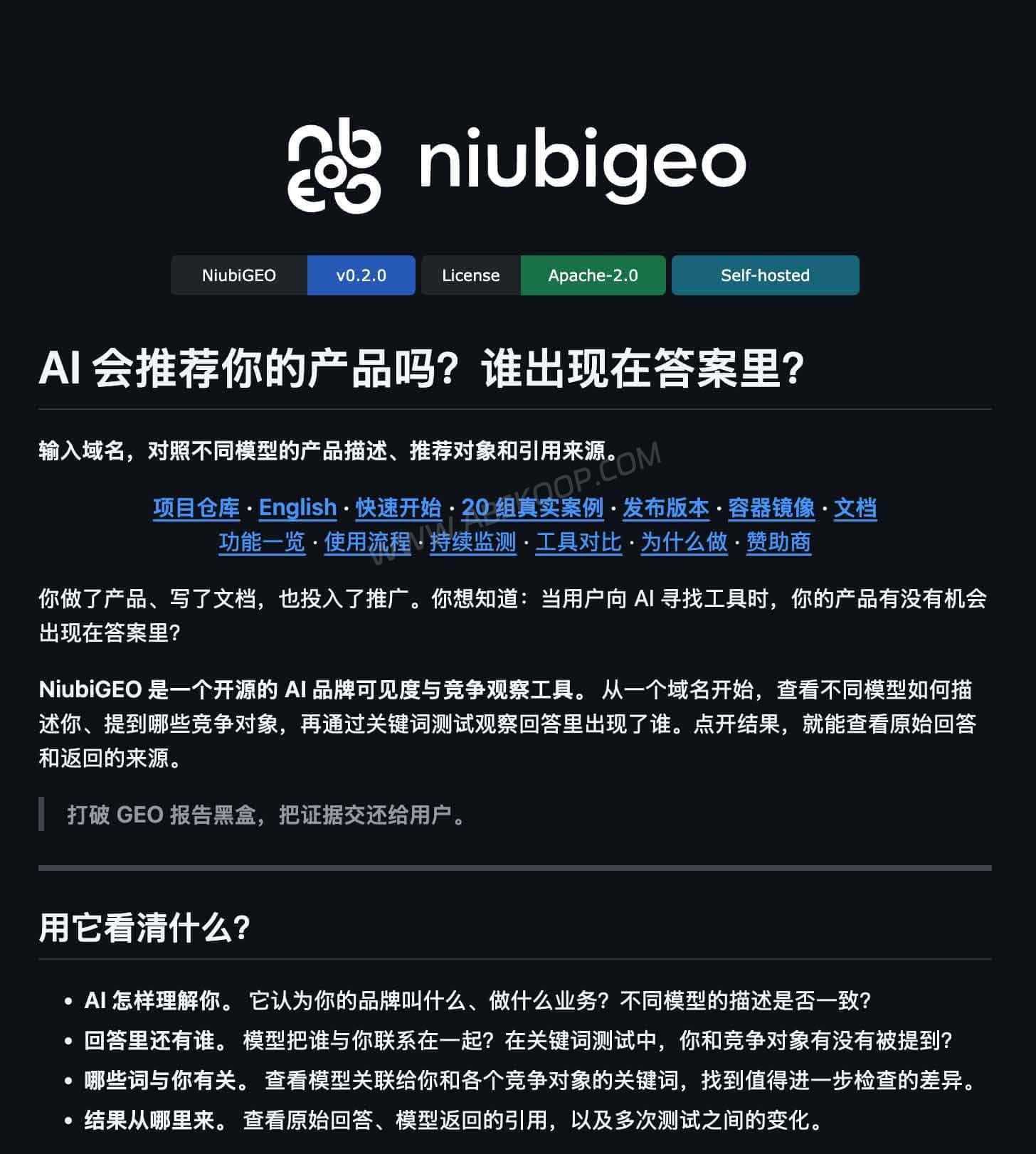
You can begin with a domain test to see how different models understand and describe a website. After selecting relevant keywords, you can also check which products appear when the target brand is not included in the query. These two workflows answer different questions: “How does AI describe my product?” and “Which products appear for this topic?”
The records come from the APIs and models selected for each test. Model choice and web search settings can affect the output, so the results may differ from what users see in the ChatGPT, Claude or Gemini web interfaces.
What can NiubiGEO show you?
After a test is complete, NiubiGEO organizes the product descriptions, competing brands, keywords, citations and previous runs. You can review the report by asking five practical questions.
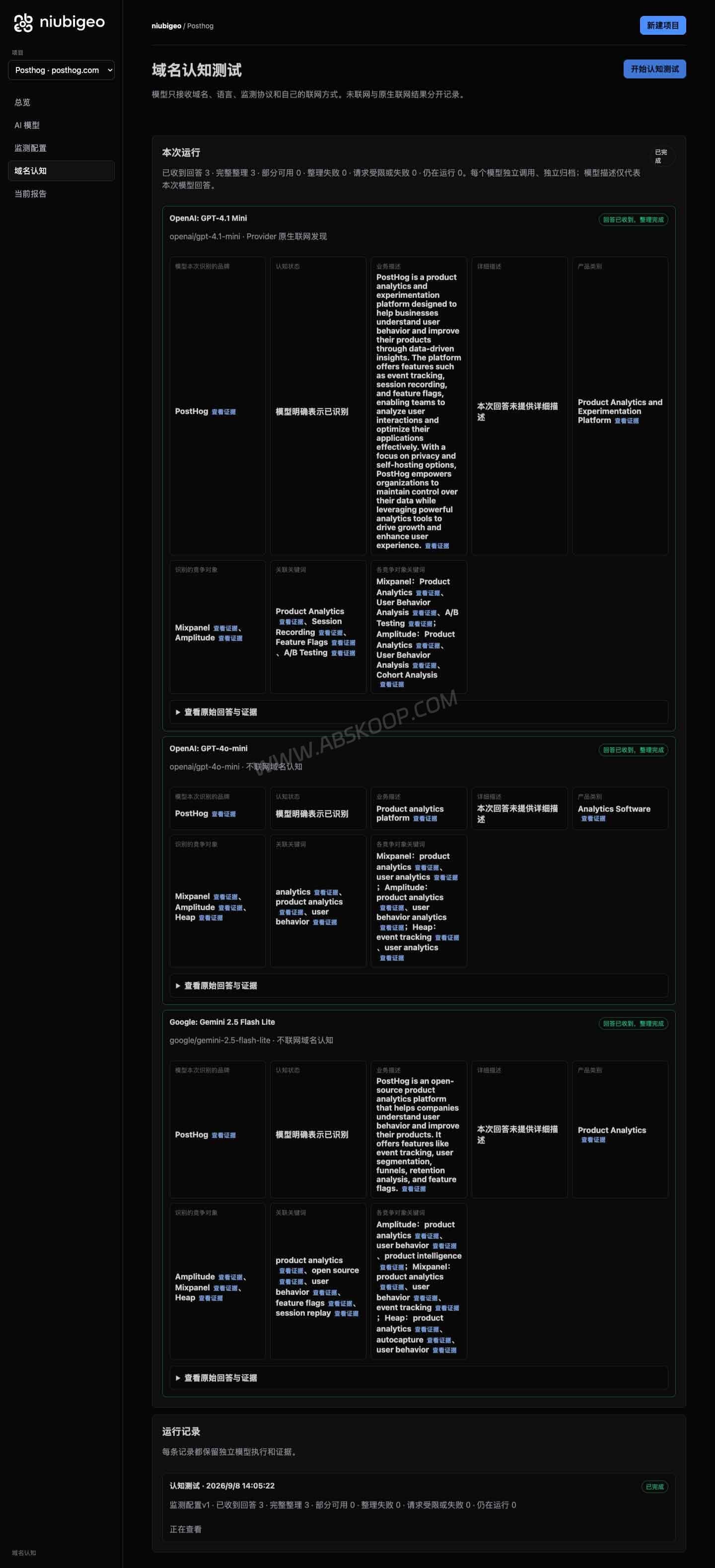
1. Did the AI describe your product correctly? Check how the model categorizes the product, whether it misses important features, and whether it claims the product provides services that it does not offer. You can also compare descriptions returned by different models.
2. Which other products appeared in the response? Review the brands that the model places alongside your product, then decide whether they are direct competitors or only loosely related alternatives.
3. Which products appear when your brand is not named? After choosing a keyword to test, you can see which products are mentioned, which ones receive a clear recommendation, and whether your own product appears.
4. What links did the response include? Open the original response and check provider citations separately from ordinary URLs in the answer. These links show which pages were returned with the response, although they do not prove why the model mentioned or recommended a product.
5. What changes in later tests? Saved records make it possible to compare product descriptions, brand mentions and citations across different runs.
Does an AI mention count as a recommendation?
No. A brand name appearing in an answer only shows that it was mentioned in that particular response. To count as a recommendation, the answer should connect the product with a user requirement and explain why someone might choose it.
1. A simple brand mention: The product appears in a list of names, but the answer does not explain who it is for or what problem it solves.
2. A recommendation with a reason: The answer connects the product with factors such as price, team size or a particular use case, then explains why it may be worth considering.
3. A related link: The response includes a product website, review or community page. You can open the page to inspect the information, but the presence of a link does not prove that it caused the recommendation.
For this reason, an AI visibility report is more useful when you examine where the brand appeared, how the model described it and whether it supplied a clear recommendation. Counting mentions alone leaves out much of that context.
Explore real NiubiGEO cases before self-hosting
The project provides 20 public domain cases, including Notion, Figma and PostHog. You can inspect the model responses, citations and report screenshots before installing the tool or adding an API key.
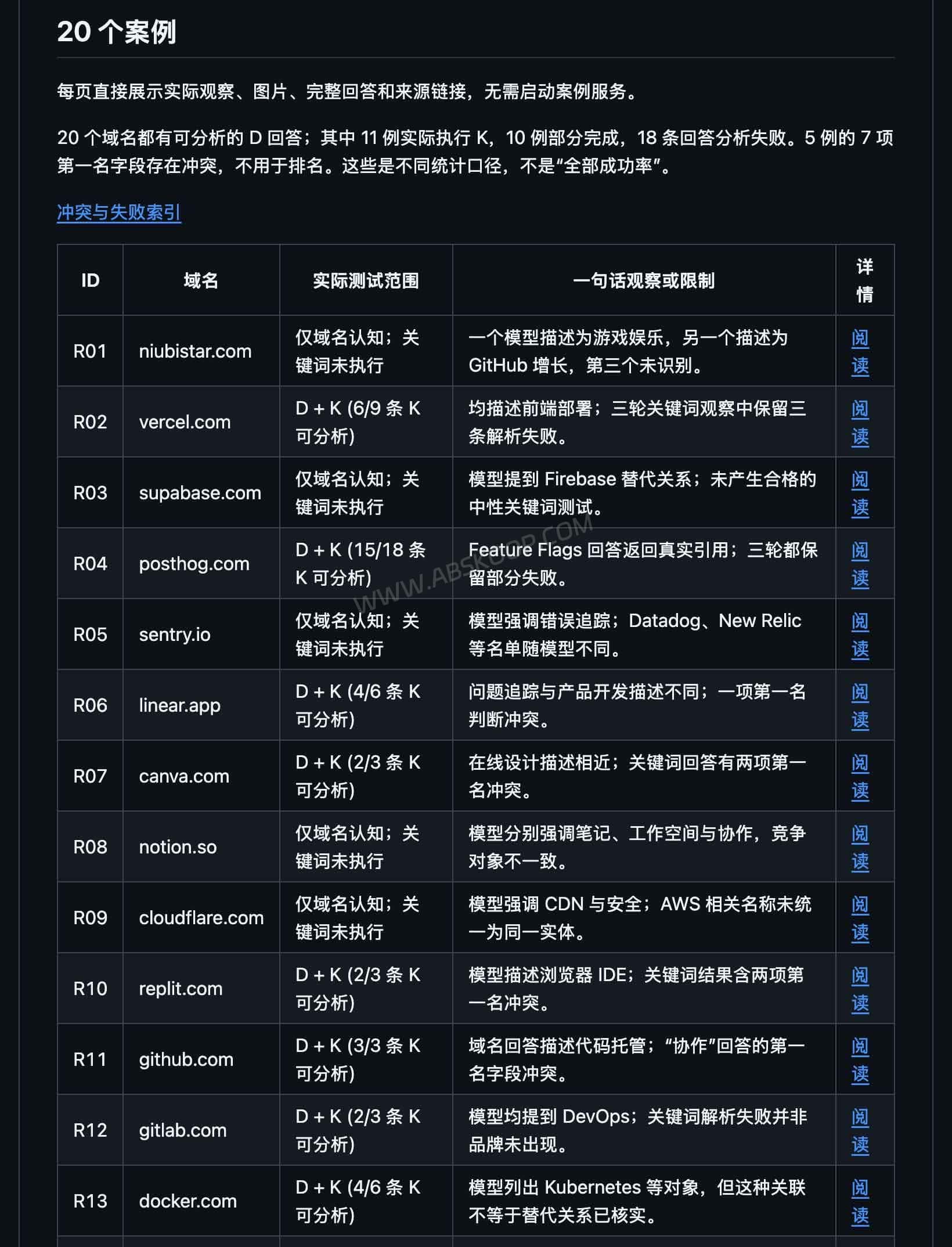
In the Figma case, the project used “Prototyping” as the keyword. Some responses mainly explained the concept of prototyping, while another response mentioned Figma directly. The example shows the difference between an AI understanding a topic and naming a specific product in its answer.
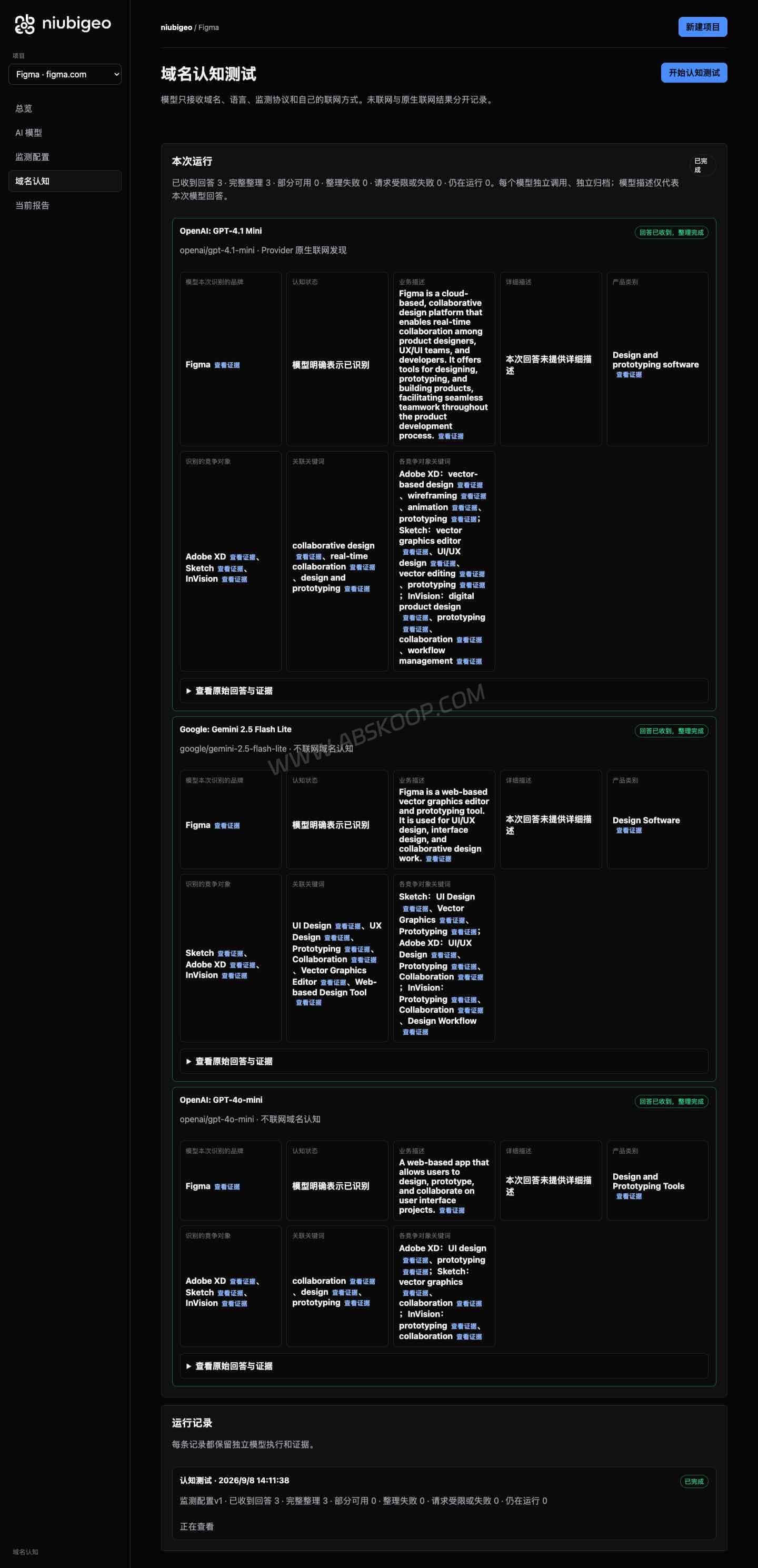
Of the 20 published cases, 10 completed the full workflow and 10 completed only part of it. Eleven included keyword measurements. Failed runs and uncertain results remain in the records, so the examples also show some of the issues that can occur during testing.
How do you self-host NiubiGEO, and what does it cost?
NiubiGEO is an Apache-2.0 licensed open-source project that can run on your own computer or server. Testing a product requires your own API key and available account balance. Long-term costs may also include server resources, updates, backups and maintenance time.
What do you need to deploy it?
Version 0.2.0 provides a Docker image and can also run with Node.js 22 or later. The official quick-start configuration requires an OpenRouter API key. Once configured, you can open the workbench in a browser, select a model and begin testing.
Scheduled tests require a separate monitoring Worker. The project’s Docker deployment guide explains how to start it so that tests can run at the configured times and retain their records.
If you already use Docker or know how to install Node.js and edit configuration files, you can follow the v0.2.0 setup instructions. First-time self-hosting users may need additional time to prepare the environment and resolve configuration problems.
What determines the API cost?
- Model calls: Cost depends on the selected models, the number of tests, response length and how often tests are repeated.
- Web search: Enabling search may add separate usage charges, depending on the selected model and provider.
- Hosting and maintenance: Running the application on a local computer or rented server involves different costs. Updates, backups and troubleshooting also take time.
For reference, the author reported that the v0.2.0 study covering 20 domains used 204 paid calls, including preflight checks, at a provider cost of about US$1.00. This was the recorded cost of that particular study, rather than a fixed price for every report, and it does not include hosting or maintenance.
A practical starting point is to run a domain test with one model, followed by a small number of keyword measurements. You can then use the actual account charges to estimate the budget for future runs.
Where does the data go?
The application and saved test records remain in the environment where you deploy NiubiGEO. When a test generates an answer, the domain, keyword and other request data are still sent to the configured API provider. With the documented OpenRouter setup, requests pass through OpenRouter to the selected model.
Use public product information for testing rather than confidential customer or business data. If the workbench will be available over the public internet, add suitable access controls to the deployment.
Why can NiubiGEO results change between runs?
If a response mentions your brand in one run but omits it in the next, that does not automatically mean your visibility has declined. NiubiGEO’s documented limitations explain that model output can vary and that repeated runs are not guaranteed to produce identical answers, even with the same sampling settings.
For a more useful comparison, keep the domain or keyword, model, language and web search settings consistent, and record the test date. Changing the model, keyword or search method changes the test conditions, so brand mention counts should not be compared without that context.
If a ranking or summary value looks unusual, open the original answer and check what the model actually wrote. The v0.2.0 release notes document some ranking-conflict issues. These values are therefore better used as a route back to the source responses than as proof of a fixed brand ranking.
Who is NiubiGEO for?
NiubiGEO is suitable for product owners, independent developers and marketing teams that want to check whether AI can describe their website correctly or identify which products appear for a topic when no brand is named. Access to the original responses also helps users review product descriptions, competing brands and citation links.
To use it, you need an OpenRouter API account, the ability to deploy an application with Docker or Node.js, and the time to review model responses yourself. Ongoing monitoring also requires maintaining the deployment and its scheduled monitoring Worker.
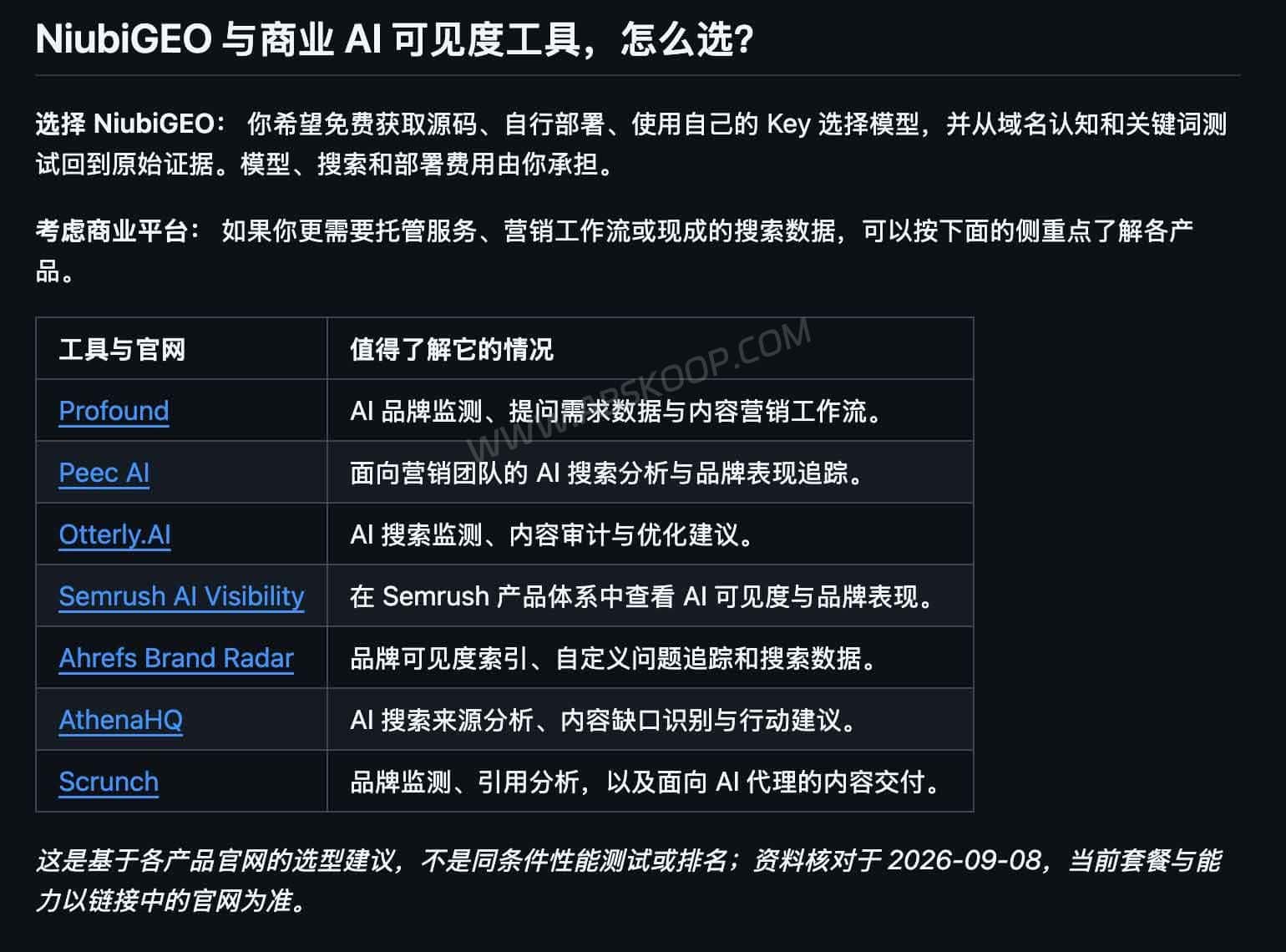
Teams that do not want to manage their own environment, or that require built-in collaboration, access controls and customer support, may prefer a commercial hosted service. When comparing tools, check whether the data comes from model APIs or consumer web interfaces and whether the original responses can be inspected. Those differences matter more than a visibility score by itself.
NiubiGEO source code and deployment links
NiubiGEO GitHub repository: Review the current features, quick-start instructions and usage documentation.
NiubiGEO v0.2.0 release notes: Check the version features, recorded API usage and known issues.
NiubiGEO Docker image: View the available container releases.


Comments (0)