



Roop was a popular open-source face swap project that could replace faces in images and videos using a single source photo. Unlike older deepfake workflows, it did not require training a separate model for every person.
Development stopped in 2023, and the official GitHub repository is now archived. The repository you see today mainly contains a Stable Diffusion AUTOMATIC1111 WebUI extension for image face replacement, so it no longer matches the standalone video tool shown in older python run.py tutorials.
What is Roop face swap?
Roop started as a Python-based local face-swapping tool for images and videos.
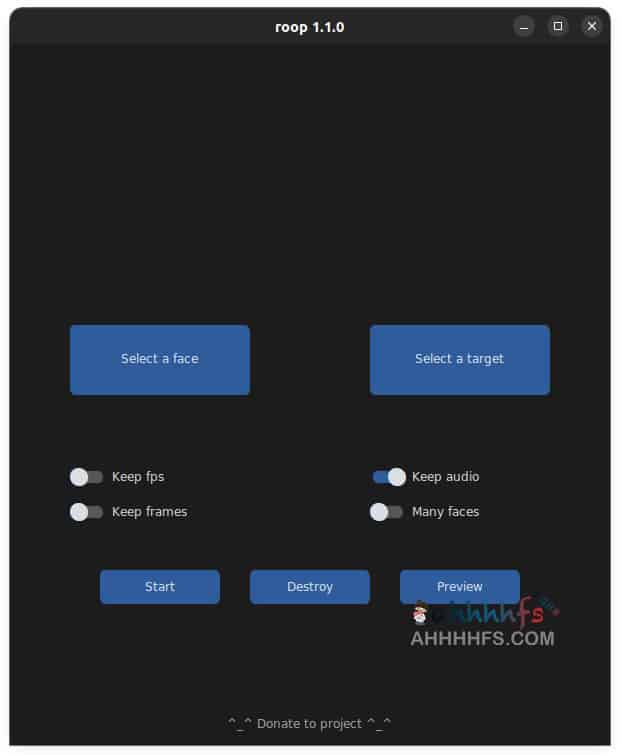
The basic workflow was simple: provide a photo containing the face you wanted to use, select a target image or video, and let Roop detect and replace the face.
What made Roop interesting at the time was that it did not require the long per-person training process associated with many traditional deepfake tools.
A reasonably clear source photo was enough to start a face swap, which made the workflow much easier to try on a local computer.
Why was Roop discontinued?
Roop development stopped in 2023.
The developer later explained that his view of the wider effects of this type of generative media software had changed, so he decided to stop development.
The GitHub repository is now archived and kept available for reference rather than ongoing development.
Does Roop still work?
Older Roop code can still run in the right environment, but it is no longer something you should expect to install like a currently maintained desktop app.
Python versions, ONNX Runtime, InsightFace, FFmpeg, model files, GPU drivers and the operating system can all affect whether an older setup works.
If you already have a working Roop environment, it may continue to run. Starting from scratch is more likely to involve dependency conflicts, changed model locations or compatibility issues.
There is also an important version difference: the original standalone Roop supported image and video face swapping, while the current official GitHub repository mainly describes a Stable Diffusion AUTOMATIC1111 WebUI extension for image face replacement.
Why do old Roop installation guides no longer match GitHub?
Older Roop tutorials usually installed Python, Git, pip and FFmpeg, cloned the repository and launched the standalone program with:
python run.pyA typical guide looked like this:
git clone https://github.com/s0md3v/roop
cd roop
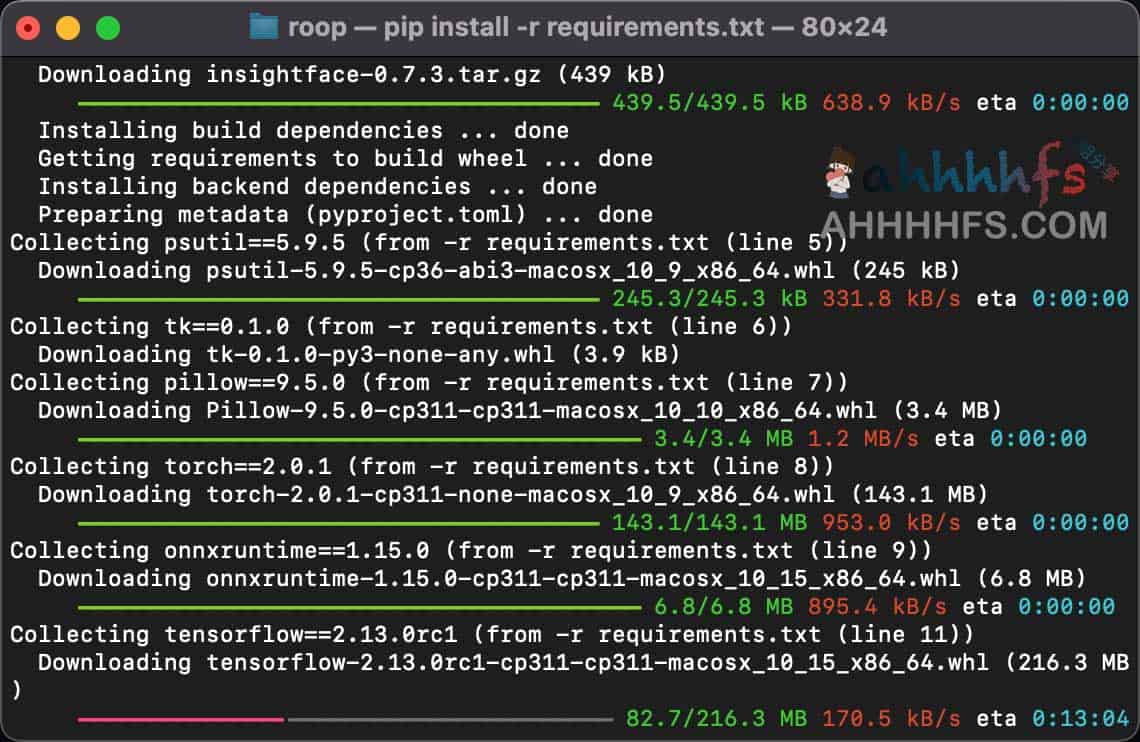
pip install -r requirements.txt
python run.py
That run.py entry point is no longer present in the current official repository.
The repository now contains code for a Stable Diffusion WebUI extension, and its README points users toward installing the extension through AUTOMATIC1111 instead.
So if an older Roop tutorial does not match the files currently on GitHub, you are not necessarily missing a dependency. You are looking at a different stage of the project.
Maintained local face swap projects to consider
If your goal is to build a local image or video face swap setup today, there are still-maintained projects that are easier to evaluate than the archived Roop codebase.
Rope is a GUI-focused local face-swapping project influenced by the same type of workflow. As of October 2026, its GitHub repository is not archived and received updates during 2026.
GitHub: https://github.com/Hillobar/Rope
FaceFusion is another actively developed face manipulation project with image and video workflows. Its repository also remains active as of October 2026.
GitHub: https://github.com/facefusion/facefusion
Neither Rope nor FaceFusion is an official successor to Roop. They are simply current projects worth comparing if you need a maintained local workflow.
Roop license and model licensing
The current Roop repository is licensed under AGPL-3.0, but that license does not automatically cover every model used by the face-swapping workflow.
Roop used InsightFace’s inswapper_128.onnx face swap model.
InsightFace separates the licensing of its source code from its pretrained models. The project code uses the MIT License, while pretrained models have separate licensing conditions. InsightFace currently asks users to contact them regarding licensing for the inswapper model series.
That matters if you plan to use a Roop-based workflow in a commercial product, hosted service or company project. Checking the Roop source-code license alone is not enough; the model license also needs to be reviewed.
What should you know before using Roop?
Face swapping can be useful for image editing, video production and technical experiments, but real people’s photos and videos still come with consent and usage-rights issues.
Do not use someone else’s face to impersonate them, mislead viewers or bypass identity checks.
For testing, using your own images or material you have permission to use is the safer approach.
Roop FAQ
Does Roop require training a model for each person?
No. The original Roop workflow could use a single source image without training a separate model for every identity.
Does Roop still support video face swapping?
It depends on which version you mean. The original standalone Roop supported video face swapping. The current official GitHub repository mainly contains a Stable Diffusion WebUI image face-swap extension rather than the old standalone video program.
Roop GitHub repository
Official GitHub: https://github.com/s0md3v/roop


Comments (0)