



If you want Claude to search Google Flights instead of opening the site and changing filters manually, Fli is one of the more practical open-source options. It provides a Google Flights MCP server that lets Claude search flights, compare airports and cabin classes, and look for cheaper travel dates from a conversation.
Fli is not limited to MCP. It also includes a CLI and Python library, so the same flight search workflow can be used from a terminal, a script or an AI agent. The project is released under the MIT License, and its source code and installation instructions are available in the Fli GitHub repository.
There is one important detail to know before installing it. Fli changed the way it retrieves Google Flights data in 2026. One-way, round-trip and flexible-date searches still work, but multi-city search, Booking Options and several filters are currently limited.

Note: This guide is based on the current Fli GitHub documentation and Google documentation. Because Fli depends on Google Flights search pages and data structures, supported features may change again in future releases.
What can the Google Flights MCP search?
Once Fli is connected to Claude, you can ask for flights using normal language instead of manually building search parameters.

For example:
- Find nonstop business-class flights from San Francisco to Tokyo on December 20.
- Which dates next month are cheapest for flying from New York to London?
- Show only Oneworld flights and exclude a specific airline.
- Compare flights from JFK, EWR and LGA to London.
Most flight-search tasks revolve around two core Fli tools:
| Tool | What it does |
|---|---|
search_flights |
Searches one-way or round-trip flights for specific dates and applies filters such as cabin class, airline, stops and departure time. |
search_dates |
Checks prices across a date range to help find cheaper days to travel. |
Fli is therefore more useful as a flight search and comparison layer than as a booking system. It can help narrow down options, but it does not currently replace the full Google Flights booking flow.
How can Fli filter Google Flights results?
The useful part of Fli is not simply searching from one airport to another. It can combine many of the filters that normally require several clicks in Google Flights.
For example, a New York search does not have to start from only JFK. You can compare JFK, EWR and LGA together, then limit the results to business class, nonstop flights or a specific airline alliance.
- One or multiple departure and arrival airports
- Economy, Premium Economy, Business and First Class
- Nonstop, one-stop or more connecting flights
- Included or excluded airlines
- Oneworld, SkyTeam and Star Alliance filters
- Minimum and maximum layover times
- Departure time windows
- Adults, children, infants in seats and lap infants
- Currency, language and country settings
- Sorting by price, duration, departure time or arrival time
These filters become much more useful when they are combined. Instead of changing several options in Google Flights, you could ask Claude to find business-class flights from JFK, EWR or LGA to London next month, allow no more than one stop, exclude a particular airline and prioritize cheaper dates.
search_dates is useful when your schedule is flexible. Give it a range of several weeks and Fli can check the dates individually instead of forcing you to guess which day might be cheaper.
Round-trip searches also have a detail worth knowing. Fli uses top_n to decide how many outbound options should be expanded into return-flight combinations. The default is 5 and the maximum is 10, which means a round-trip query can require 1 + top_n page fetches.
How to install the Fli Google Flights MCP
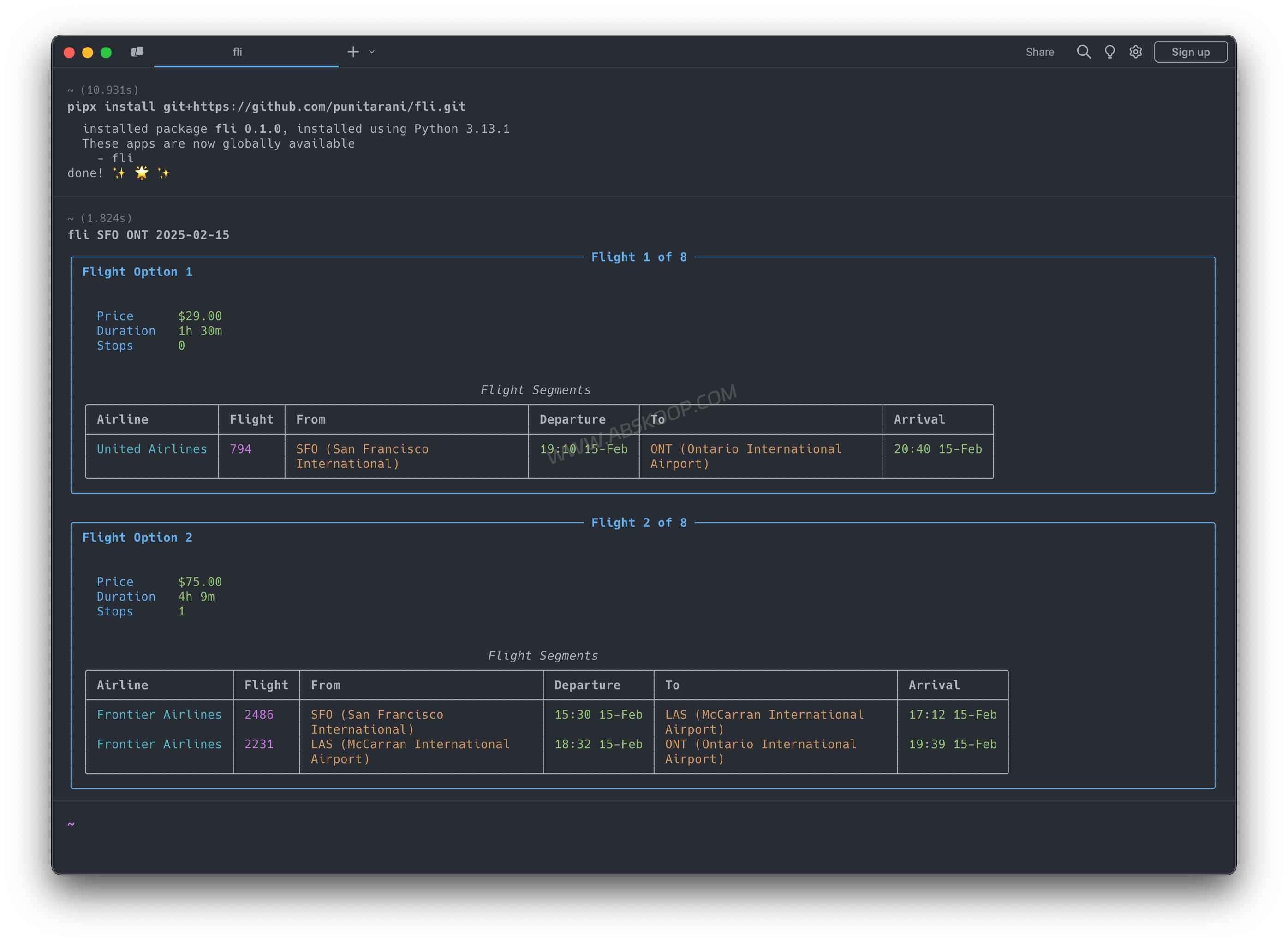
The project recommends installing the CLI and MCP server with pipx:
pipx install flightsThen check that the commands are available:
fli --help
which fli-mcp
Start the MCP server over STDIO with:
fli-mcpFli also supports Streamable HTTP:
fli-mcp-httpThe default endpoint is:
http://127.0.0.1:8000/mcp/If fli-mcp returns an MCP dependencies are not installed message, install the MCP extra:
pip install 'flights[mcp]'How to connect Fli to Claude Desktop
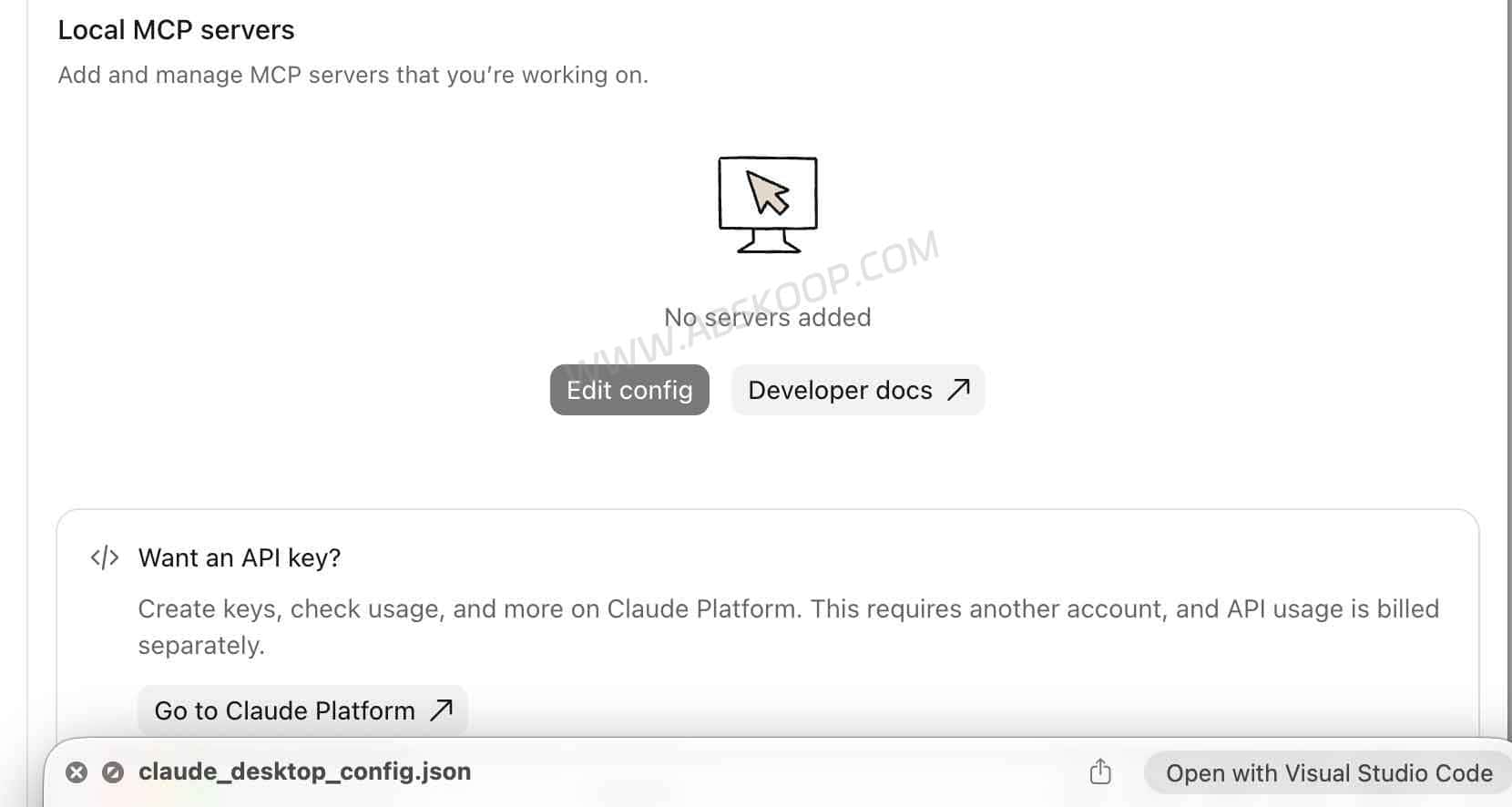
On macOS, the Claude Desktop MCP configuration file is typically located at:
~/Library/Application Support/Claude/claude_desktop_config.jsonAdd Fli under mcpServers:
{
  "mcpServers": {
    "fli": {
      "command": "fli-mcp",
      "args": []
    }
  }
}
If Claude cannot find the command, run:
which fli-mcpThen replace the command with the full path:
{
  "mcpServers": {
    "fli": {
      "command": "/Users/<user>/.local/bin/fli-mcp"
    }
  }
}
Save the file and restart Claude Desktop.
Fli also works from the CLI and Python
You do not need an AI assistant to use Fli. The CLI can run flight searches directly from the terminal.
fli flights JFK LHR 2026-12-20 --class BUSINESS --stops NON_STOP --sort DURATIONTo search a date range:
fli dates JFK LHR --from 2026-12-01 --to 2027-01-10 --monday --fridayFor Python:
pip install flightsFor TypeScript / JavaScript:
npm install fli-jsor:
bun add fli-jsFli changed how it retrieves Google Flights data in 2026
Fli does not retrieve Google Flights data the same way it did in earlier versions.
Starting in August 2026, Google changed the validation used by parts of its flight-search backend. Requests that Fli had previously relied on could still return HTTP 200 while no longer providing usable flight results.
Fli therefore moved its flight searches to the public Google Flights search page and now extracts the flight data returned with that page.
The installation process did not fundamentally change, but some capabilities did. Multi-city search, Booking Options and several filters are now limited, and each search can return fewer itineraries than the older transport.
What are the current Fli limitations?
Fli still handles common one-way, round-trip and flexible-date searches well, but it does not expose everything available in the Google Flights website.
Multi-city trips currently need to be searched separately
A route such as New York → London → Paris → New York cannot currently be returned as one complete multi-city itinerary. The practical workaround is to search each leg separately.
The CLI still includes a fli multi command and multi-city examples, but the current Search Transport documentation says the underlying multi-city results are still unavailable.
Fli can search flights, but it cannot complete the booking flow
Fli is useful for search and comparison, but Booking Options are currently unavailable. Flight results can still include Google Flights deep links.
Some Google Flights filters are not currently supported
bagsemissionsexclude_basic_economy
Very narrow filters can produce empty results
Fli currently receives a limited number of candidate itineraries, typically around 20–45 per search. Some filters are applied locally after those results have been retrieved.
Children and infants may reduce the number of results
Google can return fewer inline itineraries when a search includes children or infants.
Flexible-date searches can become request-heavy
search_dates checks dates individually and currently supports a maximum range of about 93 dates in one search.
High-volume use is not equivalent to a commercial flight API
Fli ultimately depends on Google Flights. Large numbers of repeated requests may encounter rate limits, empty responses or temporary failures.
Is Fli an official Google Flights MCP?
No.
Fli is a community-maintained open-source project. It is not an official Google Flights MCP Server.
Google Flights Search is not a general public developer API
Google does operate Google Flights Search, but it is not the same as a general-purpose Google Flights Public API that any developer can sign up for and query with an API key.
Google also has an official Travel Impact Model MCP
Google provides an official Travel Impact Model MCP, but it focuses on flight emissions rather than fares or itinerary search.
Fli vs. commercial flight APIs
| Comparison | Fli | Commercial Flight API |
|---|---|---|
| Main use | Flight search, MCP and scripts | Flight data, availability and booking services |
| Cost | Open-source project | Usually usage-based or subscription pricing |
| Claude MCP | MCP server included | Usually requires your own integration |
| Stability | Depends on Google Flights search behavior | Usually backed by a defined API contract |
| SLA | No | Available from some providers |
When is Fli worth using?
Fli makes the most sense when you already use Claude Desktop or another MCP client and regularly repeat the same Google Flights filtering steps.
If you only search for a flight occasionally, opening Google Flights directly is still easier. Fli becomes more useful when the search itself is repetitive or when flight data needs to become part of another workflow.
Frequently Asked Questions
Does Google Flights MCP require an API key?
Fli itself does not require a Google Flights API key. After installation, the MCP server can run locally.
Is Fli an official Google Flights MCP?
No. Fli is a community-maintained open-source project.
Can Google Flights MCP work with Claude Desktop?
Yes. Install Fli, add fli-mcp to the Claude Desktop MCP configuration and restart Claude.
Does Fli support multi-city Google Flights searches?
Not fully at the moment. The CLI still includes fli multi, but the current Search Transport does not return complete multi-city results.
Can Fli book flights directly?
No. Fli currently focuses on search and comparison. Booking Options are unavailable, although Google Flights links can still be generated.
Can Fli be used in a commercial project?
Fli itself is released under the MIT License, but commercial use should also consider Google-related terms, rate limits, reliability and data-dependency risks.
Project: GitHub – punitarani/fli


Comments (0)