



Magic Eraser by Magic Studio is a browser-based AI object remover for cleaning up photos without opening a full image editor. Paint over a person, sign, wire, piece of text, or other unwanted object, and the tool rebuilds that part of the image using the surrounding area.
There is nothing to install, and basic object removal works without creating an account. The free version is fine for the occasional edit, but downloads are limited in resolution, carry Magic Studio branding, and are processed one image at a time.

Magic Eraser: an AI Object Remover for Photos
Magic Eraser is part of Magic Studio, which is operated by aarzoo, Inc. It is built for local edits inside an existing photo rather than generating the whole image again.
That makes it useful when the photo itself is fine but one part of it is not: a person in the background, a trash can, a cable, a sign, some text, or another small distraction.
Everything runs in the browser. You do not have to work with Photoshop layers, masks, or a clone tool just to remove one object.

Is the free version enough?
For a few casual edits, probably. You can upload a photo and use the basic removal tool without signing up.
The main limits show up when you download the result or need to work through a large batch. Free downloads have limited resolution and Magic Studio branding, and the free workflow handles one image at a time.
| Feature | Free | Pro |
|---|---|---|
| AI object removal | Included | Included |
| Ads | Yes | No |
| Downloads | Limited resolution, Magic Studio branding | High resolution, no watermark |
| Batch editing | One image at a time | Up to 50 images |
Pro pricing can vary by region and current offers, so it is better to check the checkout page for the price shown to your account.
Can Magic Eraser edit photos in bulk?
The free version works one image at a time. That is not much of a problem if you only need to clean up a holiday photo or remove something from a single product shot.
For larger jobs, Magic Eraser offers bulk editing for up to 50 images at once. That is more useful for product photos, property listings, social media assets, or any folder of images that needs the same kind of cleanup.
What image formats does it support?
The upload box lists JPG, PNG, AVIF, and WEBP.
Magic Studio also mentions JPEG, HEIC, and TIFF in its file-format guidance. If a less common format refuses to upload, converting it to JPG or PNG is usually the simplest workaround.
How to remove an object from a photo with Magic Eraser
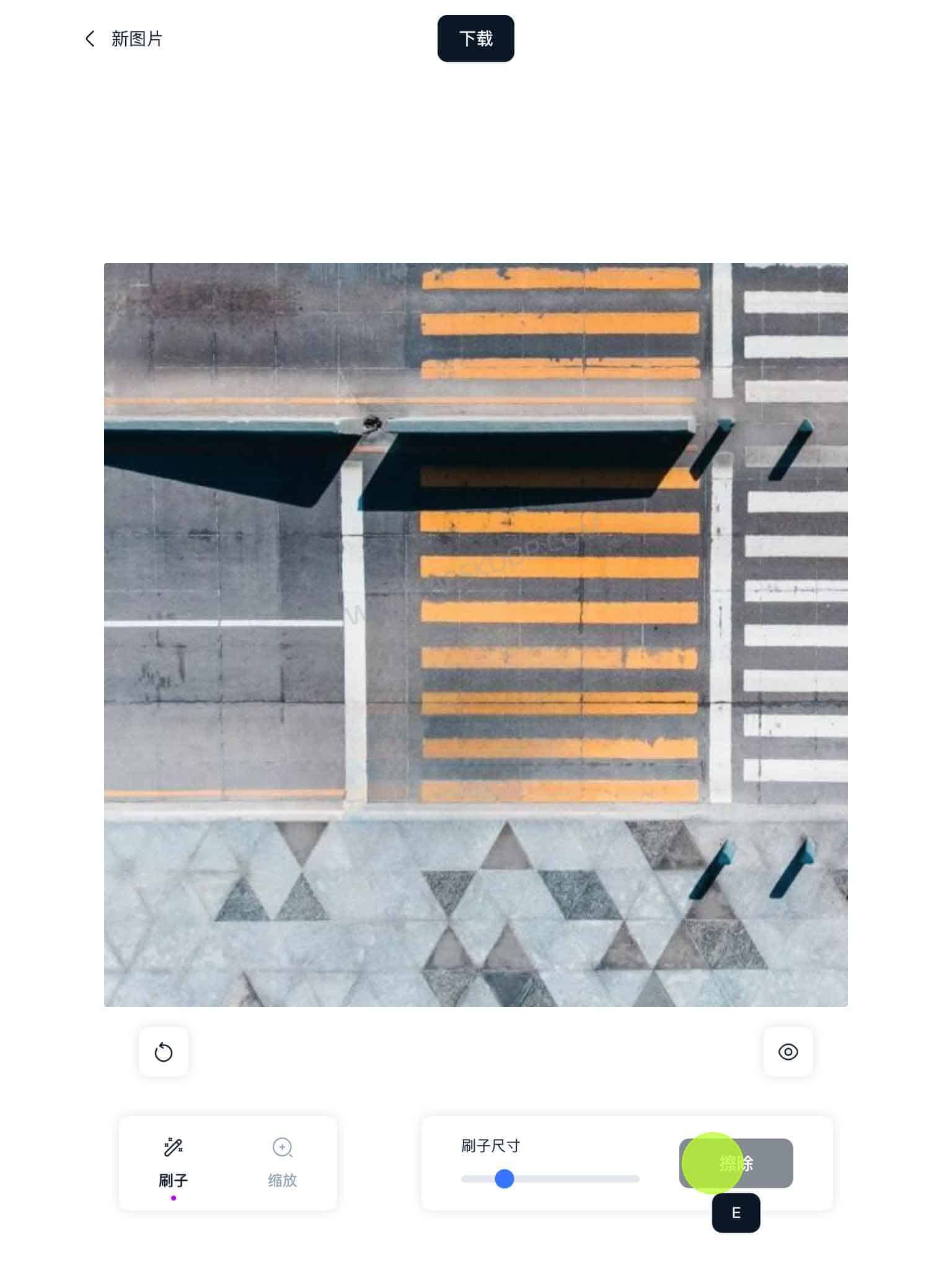
The workflow is short: upload the image, paint over what you want gone, run the erase tool, and download the result.
The brush selection matters more than the number of steps. When removing a person or another solid object, include any obvious shadow in the selection. If several objects need to go, erase them one at a time instead of covering a large part of the image in a single pass.
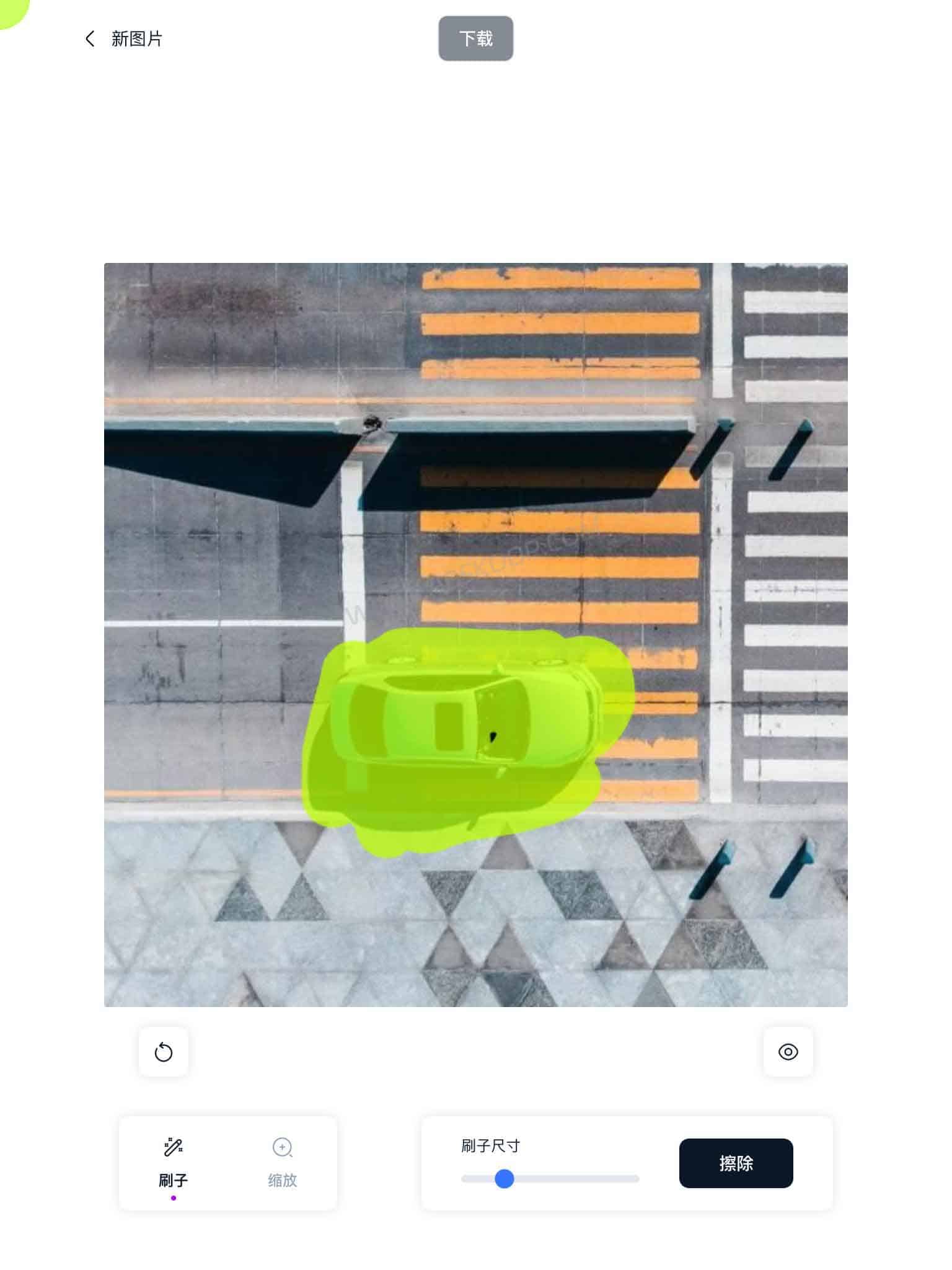
Long, thin objects such as wires and railings are easier to handle in shorter sections. If the rebuilt background looks wrong, select the bad patch and erase it again rather than starting over.
What kinds of photos work best?
Magic Eraser has an easier job when the missing background is predictable. A small object against a wall or open sky is usually simpler than something covering a face, product edge, or detailed building.
| Scene | Difficulty | What can go wrong |
|---|---|---|
| Small object against sky, wall, or floor | Lower | Background is usually easy to rebuild |
| People, trash cans, signs | Medium | The tool has to recreate the hidden background |
| Wires and railings | Medium | Long selections can distort nearby details |
| Faces and product edges | Higher | Edges can warp or lose detail |
| Architecture and dense textures | Higher | Repeated patterns and straight lines can look wrong |
It works best as a quick cleanup tool. If the unwanted object covers an important face, a clean product outline, or a detailed structure, expect to try more than once. For pixel-level retouching, a full editor such as Photoshop still gives you more control.
Can Magic Eraser remove watermarks?
It can remove text, logos, and other elements placed over an image, so technically it can also clean a watermark or label from an image you own.
It is not designed as a dedicated bulk watermark remover, though. If the image belongs to someone else, removing a copyright mark does not give you permission to republish or use the image commercially.
If watermark removal is your main goal, see our guide to WatermarkRemover.io, an AI watermark remover for images, PDFs and video. For brush-based photo cleanup and removing unwanted people or objects, you can also compare it with Inpaint for removing objects, watermarks and people from photos.
Commercial use and privacy
Can you use Magic Eraser for commercial work?
Yes, provided you have the right to use the original image.
A product photo you shot yourself, or an image you already have commercial permission to edit, can still be used after cleanup. Removing something with AI does not change the copyright status of the original photo.
Magic Studio’s terms state that users retain their rights in the input and, to the extent permitted by law, own the generated output. That does not remove third-party rights involving copyrighted material, trademarks, or identifiable people.
Are uploaded photos stored?
Magic Eraser is an online service, not a local image editor. Your photo has to be uploaded to Magic Studio for processing.
Magic Studio’s terms and privacy policy also say that content may be used to improve the machine models behind the service.
For that reason, I would avoid uploading IDs, confidential company files, unreleased client work, product prototypes, or other material that needs to stay private.
Privacy Policy: https://magicstudio.com/privacy-policy/
Terms of Service: https://magicstudio.com/terms-of-service/
Magic Eraser vs other tools with the same name
Is Magic Studio Magic Eraser the same as magiceraser.org?
No.
This article is about Magic Eraser by Magic Studio at magicstudio.com/magiceraser/, operated by aarzoo, Inc.
There is also a separate service at magiceraser.org. It has its own image tools, video watermark removal features, credit system, and pricing. The two services are unrelated despite the similar name.
Is this the same Magic Eraser found in Google Photos?
No.
Google Photos has its own Magic Eraser photo-editing feature. Magic Studio Magic Eraser is a separate web service with its own tools, account system, and pricing.
The names are similar, but they are different products.
Who is Magic Eraser best for?
Magic Eraser makes sense when you have an otherwise usable photo and just want one distracting element gone.
The free version is enough for occasional personal photos, social posts, or a handful of product images. Pro becomes more relevant when you need higher-resolution exports or have dozens of product shots, property photos, or marketing images to clean up.
If precise edges, faces, architecture, or print-quality retouching matter, a full editor still offers more control.
If you need more than object removal, Kaze AI combines image and video generation, Chat Edit, and API-based tools, including watermark removal workflows.
Other image tools in Magic Studio
Magic Eraser is only one part of Magic Studio. The same toolkit includes a few other utilities that fit into a photo-editing workflow.
- Background Remover: removes the entire background and can replace it with another one.
- Image Upscaler: enlarges images, with output advertised up to 4K.
- Background Blur: adds a blurred background to portraits and other photos.
- HEIC to JPG / WEBP to PNG: converts common image formats without opening a desktop editor.
The difference is simple: Magic Eraser removes selected objects inside the image, Background Remover separates the subject from the full background, and Image Upscaler is used when the image itself needs to be enlarged.

Magic Eraser FAQ
Do you need an account to use Magic Eraser?
No. Basic object removal can be used without creating an account.
Does the free download keep the original resolution?
Not necessarily. Free downloads are limited in resolution, while Pro offers high-resolution downloads. Magic Studio does not currently publish one fixed output size for every free download.
Does Magic Eraser overwrite the original photo?
No. The edited image is downloaded as a separate result; it does not overwrite the original file stored on your computer or phone.
Magic Eraser official website
Magic Studio Magic Eraser: https://magicstudio.com/magiceraser/


Comments (0)