



OpenLogi is an open-source Logitech Options alternative for configuring Logitech mice, keyboards, webcams, and selected accessories on macOS, Linux, and Windows. Instead of relying on a Logitech account or cloud-based configuration, OpenLogi communicates directly with compatible hardware through HID++ and stores settings locally in a plain TOML configuration file.
For people using devices such as the MX Master or MX Anywhere series, Logitech’s official Logi Options+ software remains the standard way to remap buttons, change pointer settings, configure scrolling, and use features across supported devices.
OpenLogi takes a narrower approach. It focuses on device configuration itself: button remapping, DPI control, SmartShift settings, per-application profiles, keyboard controls, and selected camera or lighting features.
Why Look for a Logitech Options Alternative?
Logitech’s MX Master, MX Anywhere, MX Keys, and other productivity peripherals are widely used for office work and multi-device setups. To access many of their configurable features, users normally install Logi Options+.
For many people, however, the features they use every day are relatively simple:
- Remapping mouse buttons
- Changing DPI or pointer sensitivity
- Adjusting scrolling behavior
- Configuring SmartShift
- Creating different controls for specific applications
Logi Options+ also includes a broader software ecosystem with account-related services, device integrations, synchronization features, and background components.
If you mainly want to configure the hardware itself, a more focused Logitech Options alternative may be useful. OpenLogi is designed around this narrower use case.
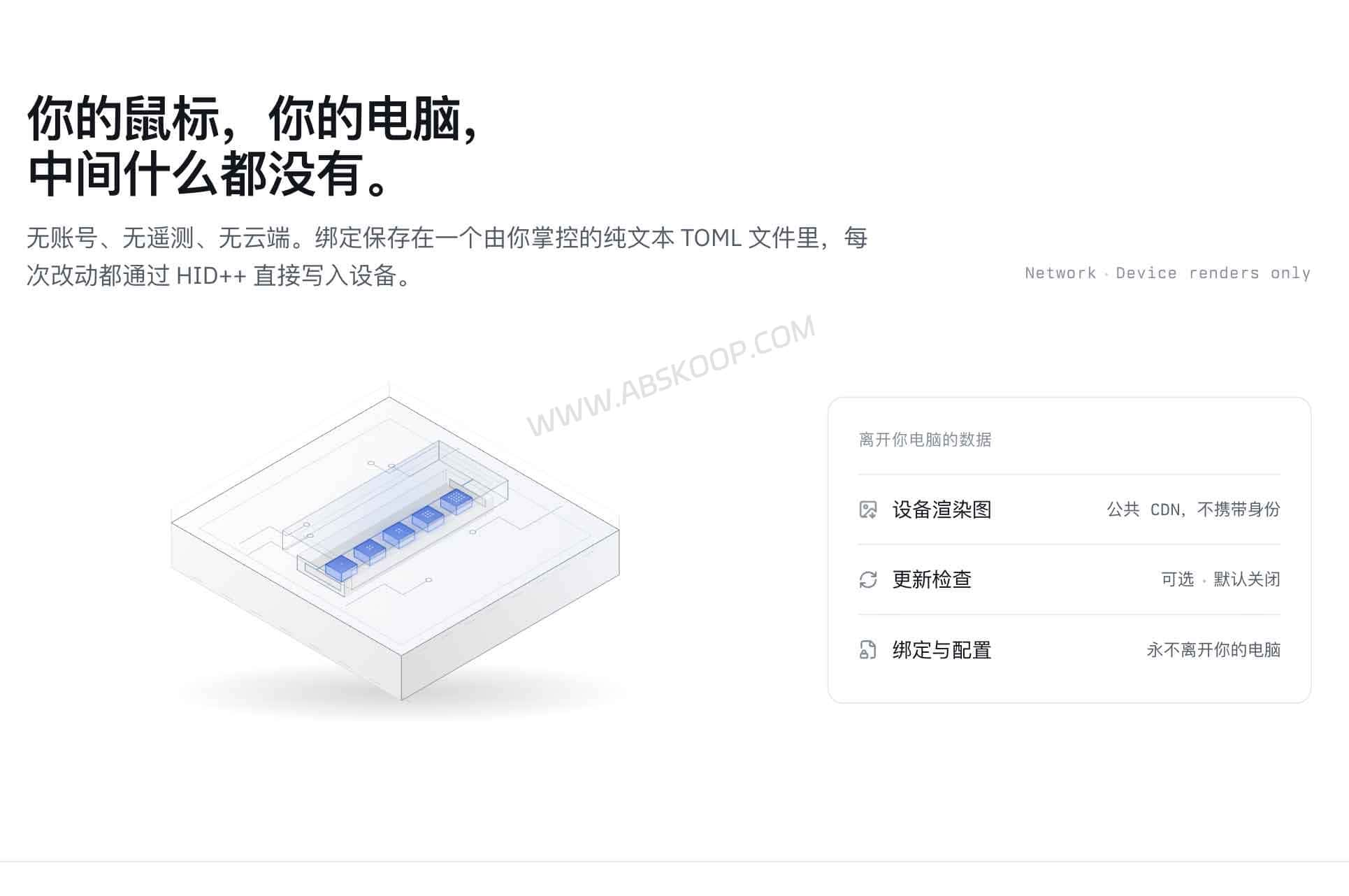
What Is OpenLogi?
OpenLogi is a native Logitech peripheral configuration tool written in Rust. It communicates with supported Logitech devices through HID++ and can work with devices connected through compatible Logitech receivers, Bluetooth, or USB, depending on the hardware.
Instead of storing device profiles in an online account, OpenLogi keeps bindings and settings in a local TOML configuration file.
The project describes itself as local-first and states that it does not use telemetry. Device images may be fetched automatically, while software update checks are optional rather than permanently enabled by default.
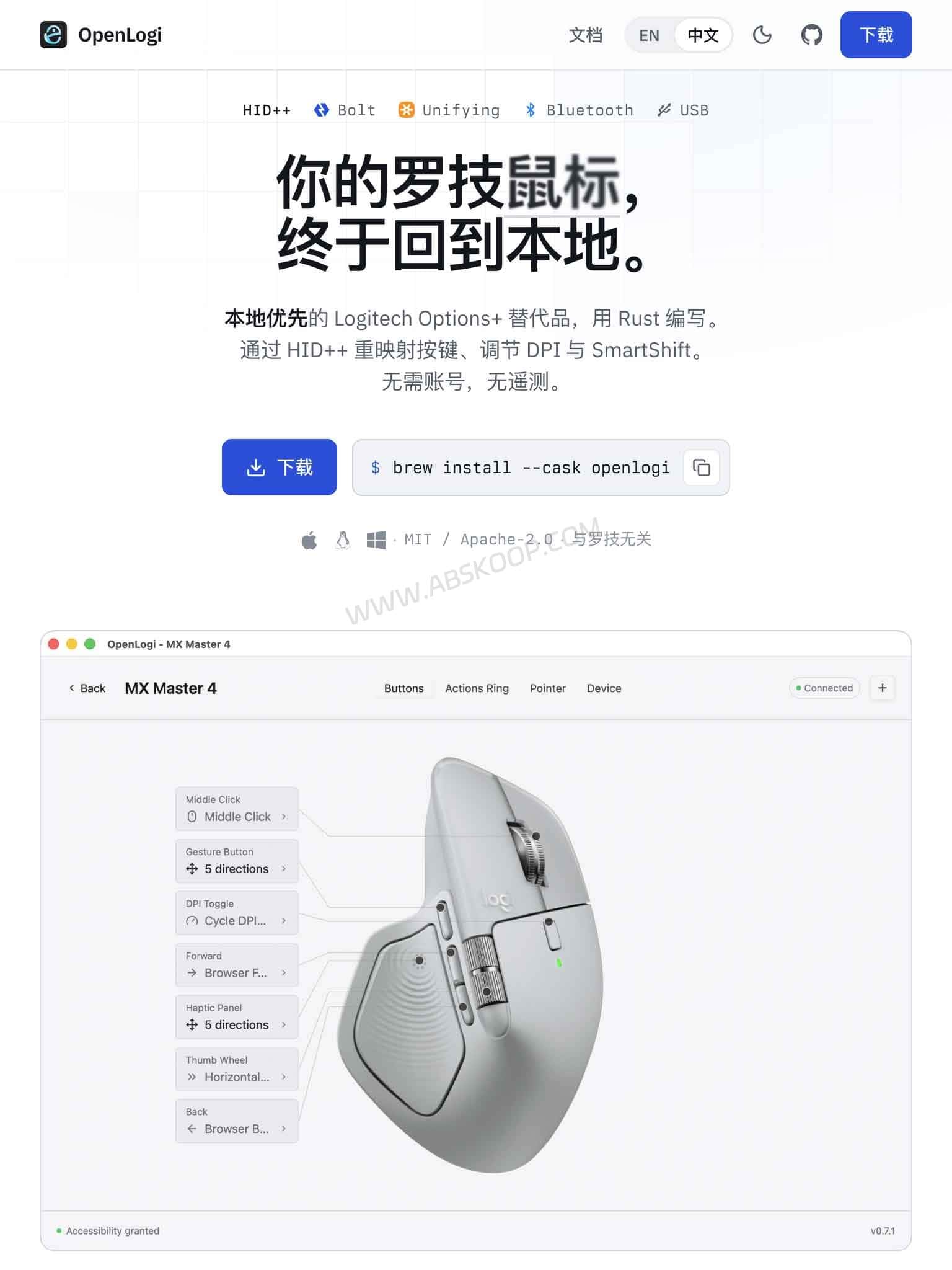
No Logitech Account Required
OpenLogi does not require registration or a Logitech account. Device mappings and profiles remain in a readable local configuration file, which can also be copied or version-controlled manually.
Local-First Configuration
Button bindings, profiles, DPI settings, SmartShift configuration, and other supported options are managed locally rather than being tied to a cloud account.
Native Rust Application
The project is written in Rust and uses a native desktop architecture rather than positioning itself as a full cloud-connected peripheral suite.
GUI and Command-Line Tools
OpenLogi provides a graphical interface for common configuration tasks and command-line functionality for device inspection, diagnostics, and scripting-oriented workflows.
OpenLogi Features for Logitech Mice and Keyboards
For users searching for Logitech mouse software without the complete Options+ ecosystem, OpenLogi currently covers several of the controls most commonly used with productivity peripherals.
1. Mouse Button Remapping
Supported mouse buttons can be assigned to system actions, shortcuts, and other commands. This includes controls such as side buttons, middle-click actions, and gesture-related buttons on compatible models.
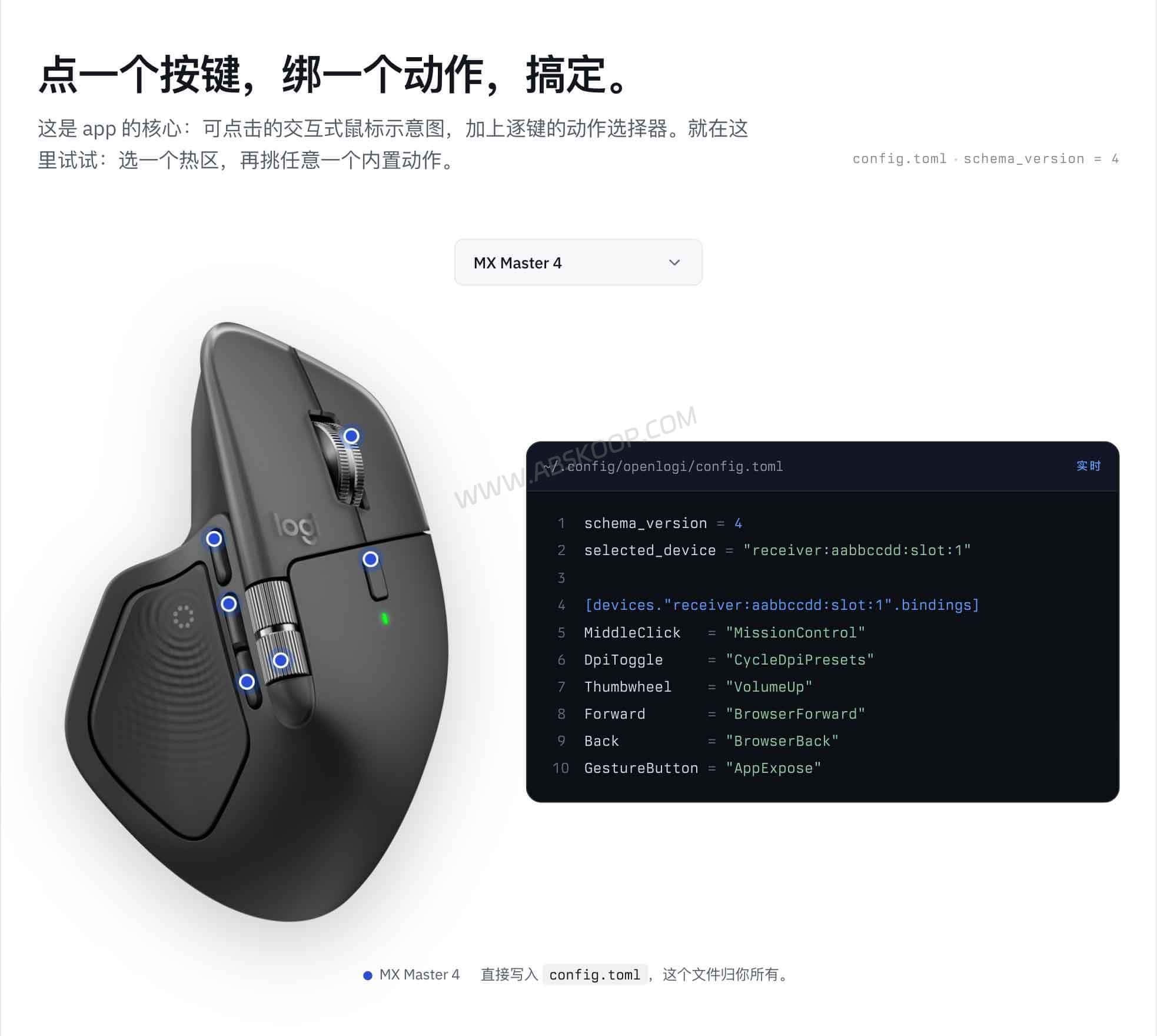
2. Logitech Mouse DPI Settings
OpenLogi can adjust DPI presets on supported Logitech mice, making it possible to change pointer movement according to display size or personal preference.
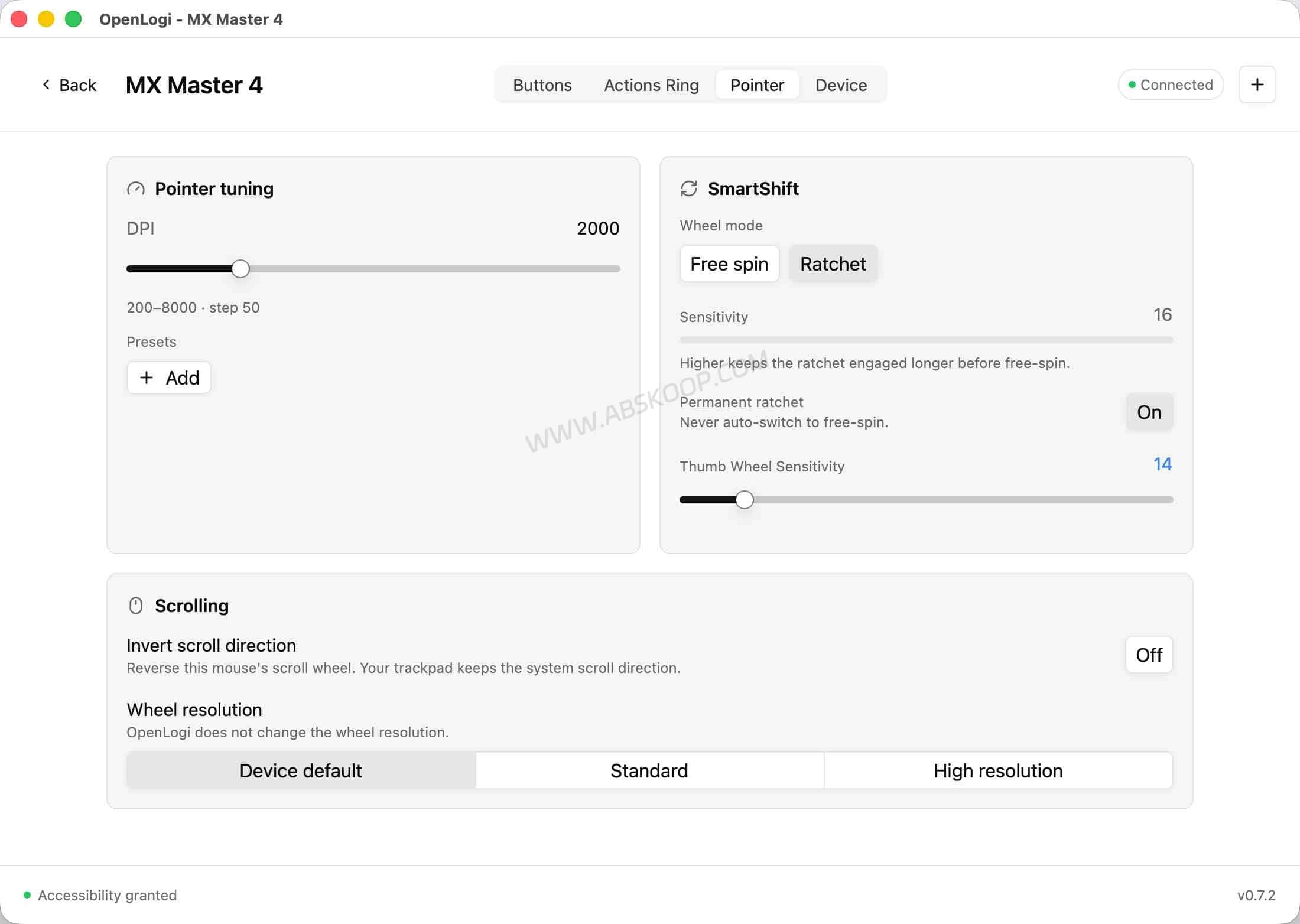
3. SmartShift Scroll Wheel Control
Compatible Logitech mice can use OpenLogi to configure SmartShift behavior, including switching between ratchet-style and free-spin scrolling and adjusting how the wheel responds.
4. Per-App Profiles
OpenLogi supports application-specific profile overlays. Different button mappings can therefore be applied depending on which application is active.
This is useful when the same mouse is used differently in a browser, code editor, design application, or productivity software.
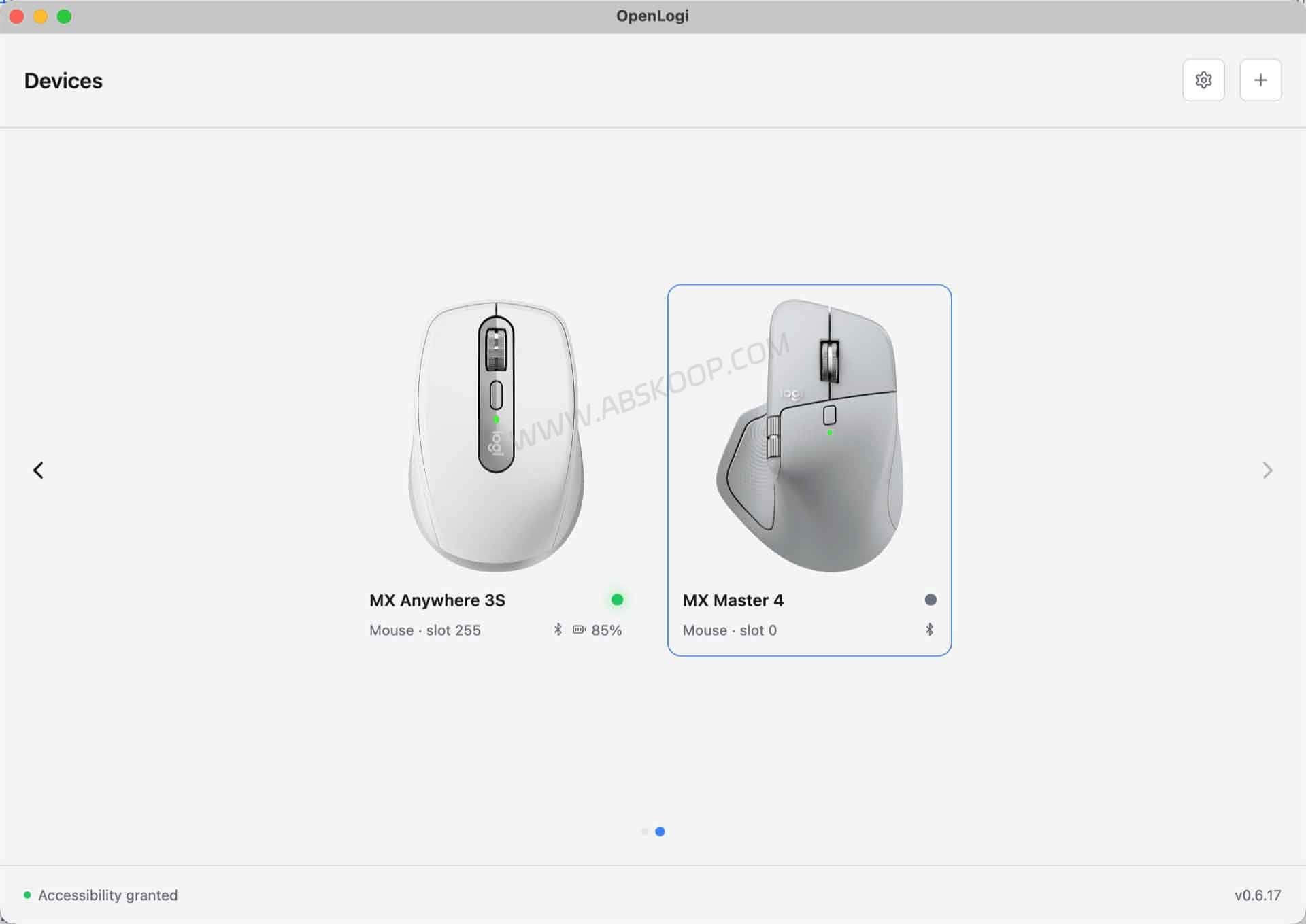
5. Device Status and Connection Management
The application can display connected compatible devices and related status information. Actual controls vary by Logitech model and connection method, so the current device compatibility list should be checked before switching from Options+.
6. Logitech Keyboard Controls
OpenLogi also supports configuration features for selected Logitech keyboards. Depending on the model, available controls can include function-row remapping, Fn-lock behavior, host switching, and lighting settings.
7. Logitech Webcams and Litra Lights
The project also includes support for selected Logitech webcams and Litra lighting devices. Available camera and lighting controls depend on the hardware, so these features should not be treated as universal across every Logitech accessory.
Logitech Options Linux: Can OpenLogi Replace Options+?
Logitech Options Linux support is one of the more interesting use cases for OpenLogi because Logitech’s official Options+ software is primarily aimed at macOS and Windows users.
Linux users have traditionally relied on community tools such as Solaar, logiops, Piper, and other device-specific utilities for Logitech configuration.
OpenLogi provides another approach by offering a graphical, cross-platform application focused specifically on Logitech HID++ hardware.
Linux packages are available for common distributions, but hardware compatibility still varies by device. Users with an existing Solaar or logiops configuration should compare supported controls before migrating rather than assuming complete feature parity.
OpenLogi vs Logitech Options+: What Is the Difference?
OpenLogi and Logitech Options+ overlap in several areas, but they are not identical products.
| Feature | OpenLogi | Logitech Options+ |
|---|---|---|
| Button remapping | Yes, on supported devices | Yes |
| DPI configuration | Yes, on supported devices | Yes |
| SmartShift | Yes, on supported devices | Yes |
| Per-app profiles | Yes | Yes |
| Local configuration file | Yes, TOML | Not designed around plain-text local configuration |
| Account required | No | Depends on the feature and workflow |
| Linux support | Yes | No official Linux version |
| macOS support | Yes | Yes |
| Windows support | Yes | Yes |
| Logitech Flow | Not currently a replacement for Flow | Yes |
| Cloud-oriented ecosystem features | Limited by design | Broader official ecosystem |
Who Should Consider OpenLogi?
OpenLogi makes the most sense for users who want direct control over Logitech peripherals without depending on the complete Logitech software ecosystem.
It may be a good fit if you:
- Use a Logitech MX Master, MX Anywhere, or another supported productivity device
- Primarily need button remapping, DPI, scrolling, and SmartShift controls
- Want Logitech mouse software for Linux
- Prefer local configuration files
- Do not want to create an account just to configure peripheral settings
- Prefer open-source desktop software
- Want configuration that can be inspected or copied manually
When Should You Keep Using Logitech Options+?
OpenLogi is not necessarily the better choice for every Logitech user.
You may want to stay with Options+ if your workflow depends heavily on Logitech-specific ecosystem features, particularly multi-computer features such as Logitech Flow.
The official software can also be the safer option when you use a newly released or less common Logitech device that has not yet been fully tested by the OpenLogi community.
Users who depend on complex workflows should check the current feature and device compatibility documentation before uninstalling Options+.
OpenLogi Compatibility: macOS, Linux and Windows
OpenLogi currently provides builds for macOS, Linux, and Windows.
macOS users can install the application through Homebrew or a downloadable installer. Linux builds are available in common package formats, while Windows is the newest major platform supported by the project.
Because OpenLogi communicates directly with Logitech hardware, users should close Logi Options+ before launching OpenLogi. Running multiple applications that attempt to control the same receiver can cause conflicts.
Device compatibility is also more important than operating-system support alone. A platform may be supported while a particular Logitech model or individual hardware feature is still incomplete.
OpenLogi Privacy and Network Behavior
OpenLogi describes itself as local-first. Device bindings and profiles are stored locally rather than being tied to an online user account.
The project states that it does not use telemetry. Its documentation explains that device artwork may be downloaded from a public source, while update checks are optional.
This does not mean the application should be described as completely offline in every situation. A more accurate description is that the core device configuration workflow is local and does not depend on a cloud account.
OpenLogi Limitations
OpenLogi is still under active development and has not reached a stable 1.0 release. Features, configuration formats, device support, and platform behavior may change between releases.
Windows support is newer than the macOS and Linux versions, so platform-specific issues may still appear.
Support also varies by Logitech hardware model. Before replacing Options+, check the project’s supported-device documentation for your exact mouse, keyboard, receiver, webcam, or accessory.
Frequently Asked Questions
Is OpenLogi a Logitech Options+ alternative?
Yes. OpenLogi is designed as an open-source, local-first alternative to parts of Logitech Options+. It provides features such as button remapping, DPI settings, SmartShift, application profiles, and configuration for selected Logitech peripherals.
Does OpenLogi work on Linux?
Yes. OpenLogi supports Linux and provides packages for several common distributions. This makes it relevant for users searching for Logitech Options Linux alternatives, since the official Options+ application does not provide the same native Linux support.
Does OpenLogi support the Logitech MX Master?
OpenLogi supports multiple MX Master models and other Logitech HID++ devices, but controls differ by model. Check the current supported-device list before installing it as a replacement for Options+.
Does OpenLogi require a Logitech account?
No. OpenLogi does not require a Logitech account. Configuration is stored locally in TOML files.
Does OpenLogi support Logitech Flow?
OpenLogi currently should not be considered a replacement for Logitech Flow. If cross-computer cursor movement, clipboard sharing, or file transfer through Flow is central to your workflow, Logitech Options+ remains the more suitable choice.
Is OpenLogi completely offline?
The core configuration workflow is local, but the application may access the network for functions such as device artwork and optional update checks. It is therefore more accurate to describe OpenLogi as local-first rather than completely offline.
OpenLogi Official Website, GitHub and Documentation
OpenLogi is under active development. Downloads, operating-system requirements, device compatibility, releases, and hardware support may change, so the official project sources should be checked before installation.
OpenLogi is an independent open-source project and is not affiliated with Logitech. Logitech, MX Master, Logi Options+, and related product names are trademarks of their respective owners.


Comments (0)