


Before posting a screenshot in a GitHub issue, sharing a conversation, or writing a tutorial, it’s worth checking what else is visible in the image. A phone number in a shipping label or an API key tucked away in a terminal window can be easy to miss.
If you’re wondering how to redact a screenshot without sending it to an external image-processing service, Scrubshot is an open-source tool worth a look. It uses optical character recognition (OCR) and pattern matching to find sensitive information directly in your browser.
You can review the detected text, cover sensitive areas with solid black boxes, and export the finished image. Scrubshot also supports batch processing and can run on your own computer or server.
What Sensitive Information Can Scrubshot Detect?
Scrubshot uses RapidOCR with the PP-OCRv5 model, with Tesseract available as a fallback. Once it has extracted text from an image, a rule engine uses 14 regular expression rules, checksum validation, and contextual clues to identify potentially sensitive information.
| Category | Supported information |
|---|---|
| Personal information | Phone numbers, national ID numbers, email addresses, postal addresses, and landline numbers |
| Financial information | Payment card numbers |
| Developer credentials | API keys, JSON Web Tokens (JWTs), and private keys |
| Network information | Private IP addresses and URLs containing access tokens |
| Business information | Certain long order and tracking numbers |
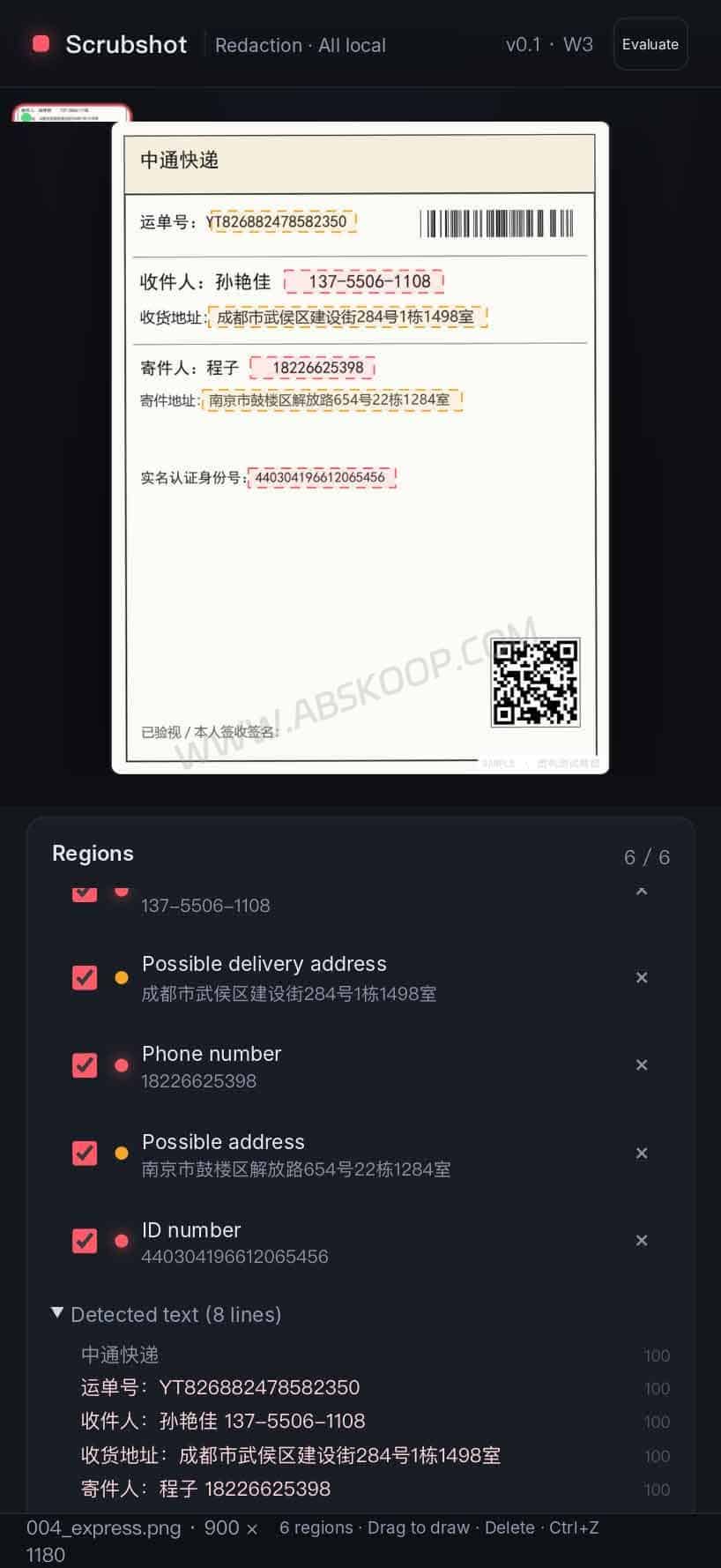
One useful design choice is that Scrubshot doesn’t treat every match the same way. The results are grouped by risk:
- Red: High-risk information, selected for redaction automatically.
- Yellow: Potentially sensitive information that needs a closer look.
- White: Low-risk matches shown for reference.
A possible card or ID number that fails checksum validation isn’t simply discarded. It can still appear as a suspicious match. That’s a sensible approach for a privacy tool, where missing sensitive information can be more costly than flagging something unnecessarily.
Scrubshot can also reconstruct certain numbers split across two lines and retry horizontally mirrored screenshots when OCR confidence is low.
The examples and detection rules include Chinese phone numbers and national IDs. Support for every international ID format, including US Social Security numbers, has not been established.
How to Redact a Screenshot with Scrubshot
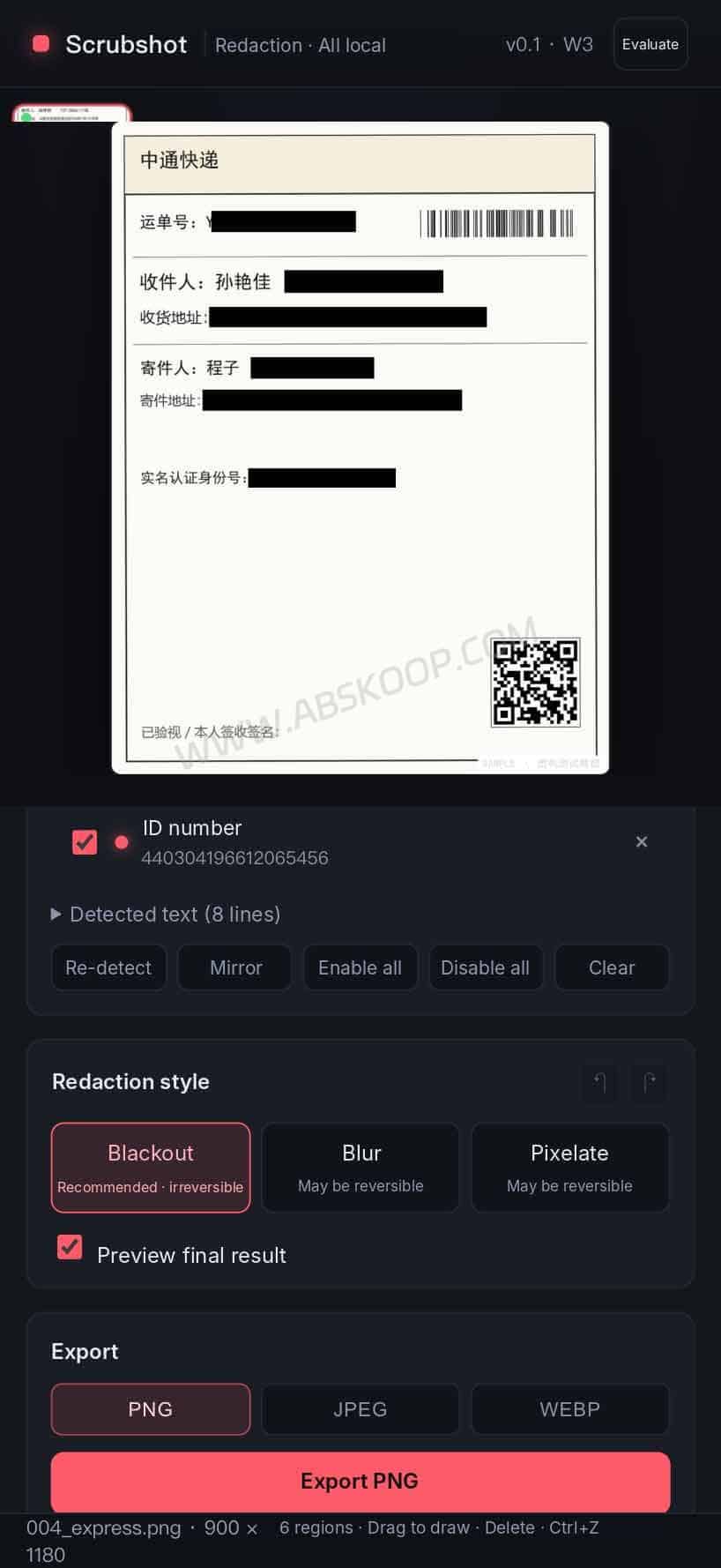
Open Scrubshot in your browser and paste a screenshot from the clipboard, or drag an image into the window. Once OCR finishes, you’ll see the detected regions alongside a list of text matches. Review the selections, draw boxes over anything the tool missed, and export a new image.
Batch processing is particularly useful if you have a folder full of support tickets, order confirmations, or screenshots for a tutorial. Each image keeps its own editing and undo history, and the finished files can be downloaded individually or together as a ZIP archive.
Before sharing the result, open the exported file separately and check that all sensitive information has actually been covered. Don’t rely solely on the preview inside the editor.
Why Use Black Boxes Instead of Blur or Pixelation?
Blurring text makes it harder to read, but it doesn’t necessarily remove the underlying visual information. Under certain conditions, blurred or pixelated characters can still be inferred or partially reconstructed.
For passwords, payment card numbers, and API keys, a solid, fully opaque rectangle is a better choice.
Scrubshot defaults to solid black redaction. Blur and pixelation are available too, but the interface warns about their limitations.
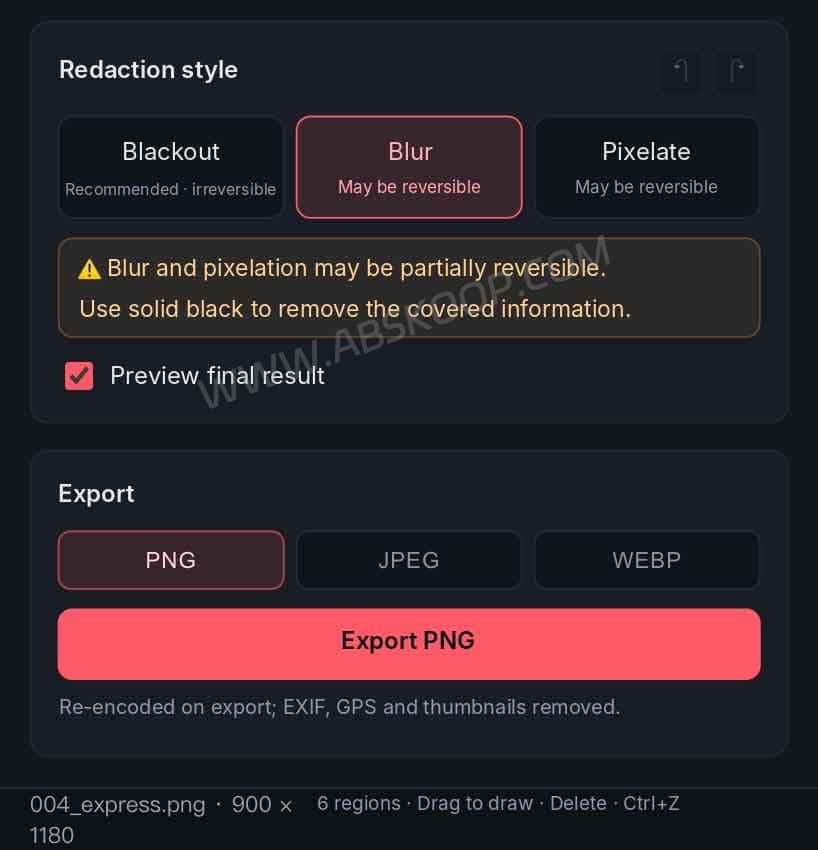
The project’s image export code shows how the redactions are applied. Scrubshot redraws the image on an HTML Canvas at its original resolution and encodes the result as a new PNG, JPEG, or WebP file.
The black boxes become part of the exported pixels rather than a removable editing layer. The original EXIF metadata, GPS coordinates, and embedded EXIF thumbnail are not carried over. The original ICC color profile is not retained either.
There’s still room for human error. A box that leaves the edge of a character exposed, or sensitive text that was never detected, can remain visible in the final image.
PDF files need a slightly different approach because they may contain selectable text underneath a visible black rectangle. See our guide to AnyRedact and PDF redaction for more on removing the underlying content rather than just covering it.
Does Scrubshot Upload Your Screenshots?
According to the project documentation, OCR, sensitive text detection, redaction, and image export all take place in the browser. There is no dedicated image upload endpoint or backend database.
The first run does require a network connection to load the OCR engine, recognition model, and ONNX Runtime. The project’s detailed resource breakdown lists approximately 58 MB of assets, or around 21 MB when gzip-compressed. Actual download sizes may vary.
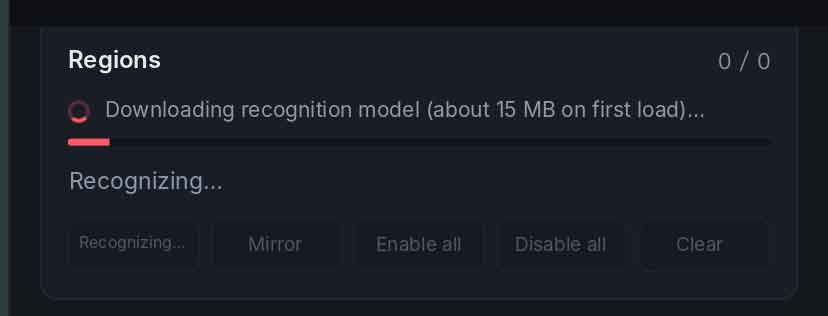
Once the required resources have loaded, the developer says the tool can continue processing images offline.
One thing to be aware of is that the public demo is currently served over HTTP from a raw IP address. Without HTTPS, the page and its scripts could be modified in transit. Use synthetic or non-sensitive images to try it out. For customer records, identity documents, or confidential screenshots, a trusted local installation is preferable.
How Accurate Is Automatic Screenshot Redaction?
The developer has published a benchmark dataset containing 30 synthetic screenshots and 157 annotated sensitive text items.
RapidOCR detected 155 of those 157 items, giving it a reported text detection recall of 98.7% on that dataset.
The evaluation screenshot below shows a separate run using 10 images and 50 annotated items. It records 49 correct detections, one missed item, and one additional detection, resulting in 98% recall and 98% precision.
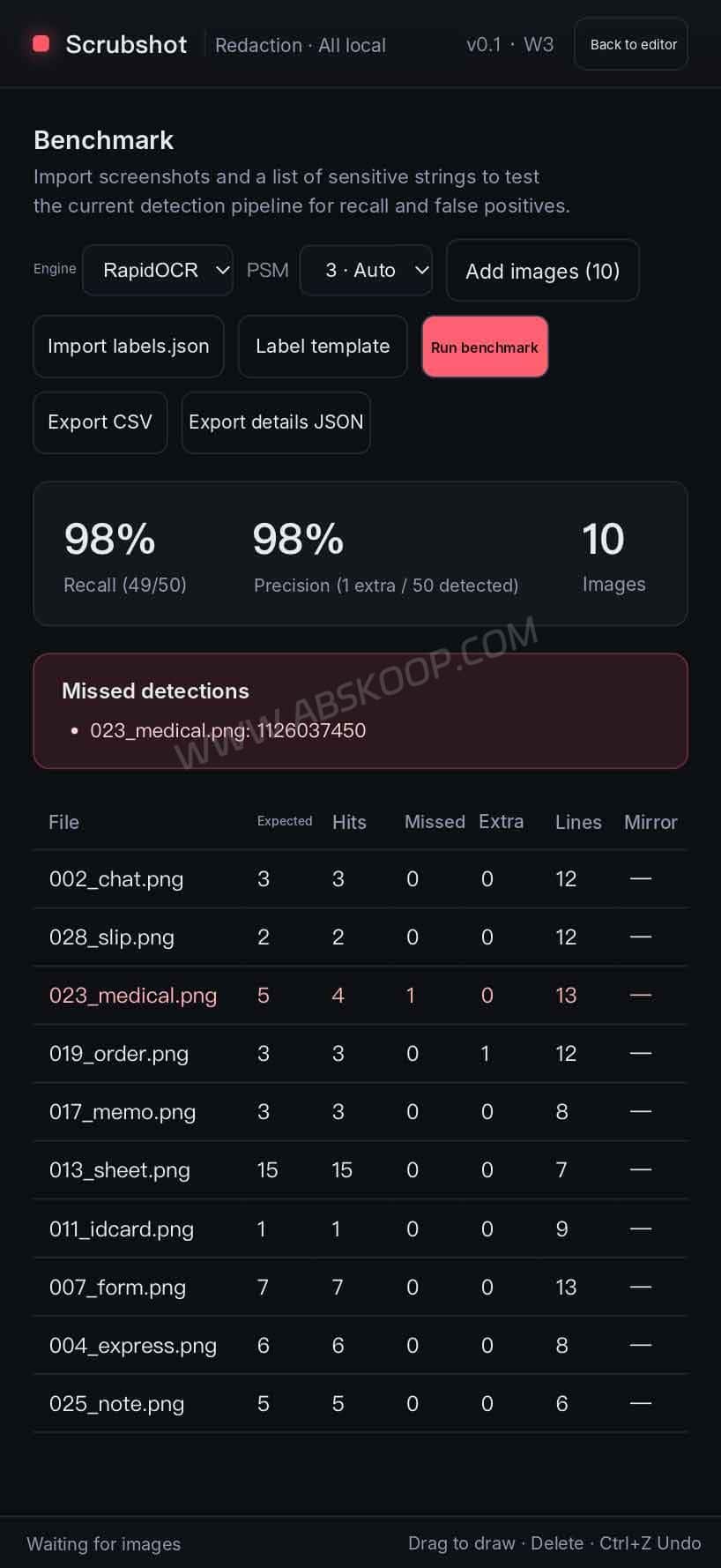
Neither result tells us how well Scrubshot will perform on every screenshot. Detecting a sensitive string also doesn’t mean the redaction box covers every part of it.
Some plain numeric strings, such as medical record numbers or order references without recognizable patterns, may be missed. The current implementation doesn’t automatically correct screenshots rotated by 90 or 180 degrees, and multiple sensitive strings on the same line may be combined into one redaction region.
Faces, signatures, barcodes, and QR codes also need separate attention. An OCR-based tool can’t know which internal project names or business details your organization considers confidential.
And if an API key or access token has already been exposed, revoke or rotate it. Redacting the original screenshot afterward won’t undo the exposure.
How to Run Scrubshot Locally or Self-Host It
You don’t need a dedicated application server to host Scrubshot. The project is MIT-licensed and builds into static web files, with no backend service or database to maintain.
To run it locally, install Git, Node.js, and pnpm. The project lists Node.js 20+ and pnpm 11+ as requirements, although your Node.js version must also meet pnpm’s own compatibility requirements.
Clone the repository and start the development server:
git clone https://github.com/strugglesky/scrubshot.git
cd scrubshot
pnpm install
pnpm dev
Open http://localhost:5173 in your browser once the server is running.
For a permanent installation on a VPS, NAS, or another web server, build the static files:
pnpm buildServe the contents of the generated dist/ directory with Nginx, or configure a static deployment through Vercel or Netlify. A production deployment does not require a continuously running Node.js process. Use HTTPS if the application will be accessed over a network.
Cloudflare Pages users should check the build output first. The project notes that an ONNX Runtime WASM asset is approximately 28 MB, exceeding the platform’s 25 MiB per-file limit. An unmodified deployment may fail for that reason.
Self-hosting should be relatively inexpensive because the OCR workload runs on the user’s device. The server mainly delivers the application and model files, although the initial model downloads can still consume bandwidth.
For dependency installation and build issues, see the project’s development notes.
Where to Get Scrubshot
Scrubshot is available under the MIT license. The public demo is useful for exploring its features with sample images, but for actual confidential data, I’d stick with a local installation.
- GitHub: strugglesky/scrubshot
- Live demo: Scrubshot Demo (HTTP; use non-sensitive images only)
- License: MIT License
Sources: Scrubshot project documentation, public benchmark data, and source code, checked in November 2026. The 30-image benchmark was reported by the developer. The separate 10-image result is taken from the evaluation screenshot supplied for this article; it is not presented as an independently verified benchmark. English interface images are translated versions of the original Chinese screenshots.


Comments (0)